1. Open the PDF file you’d like to view.
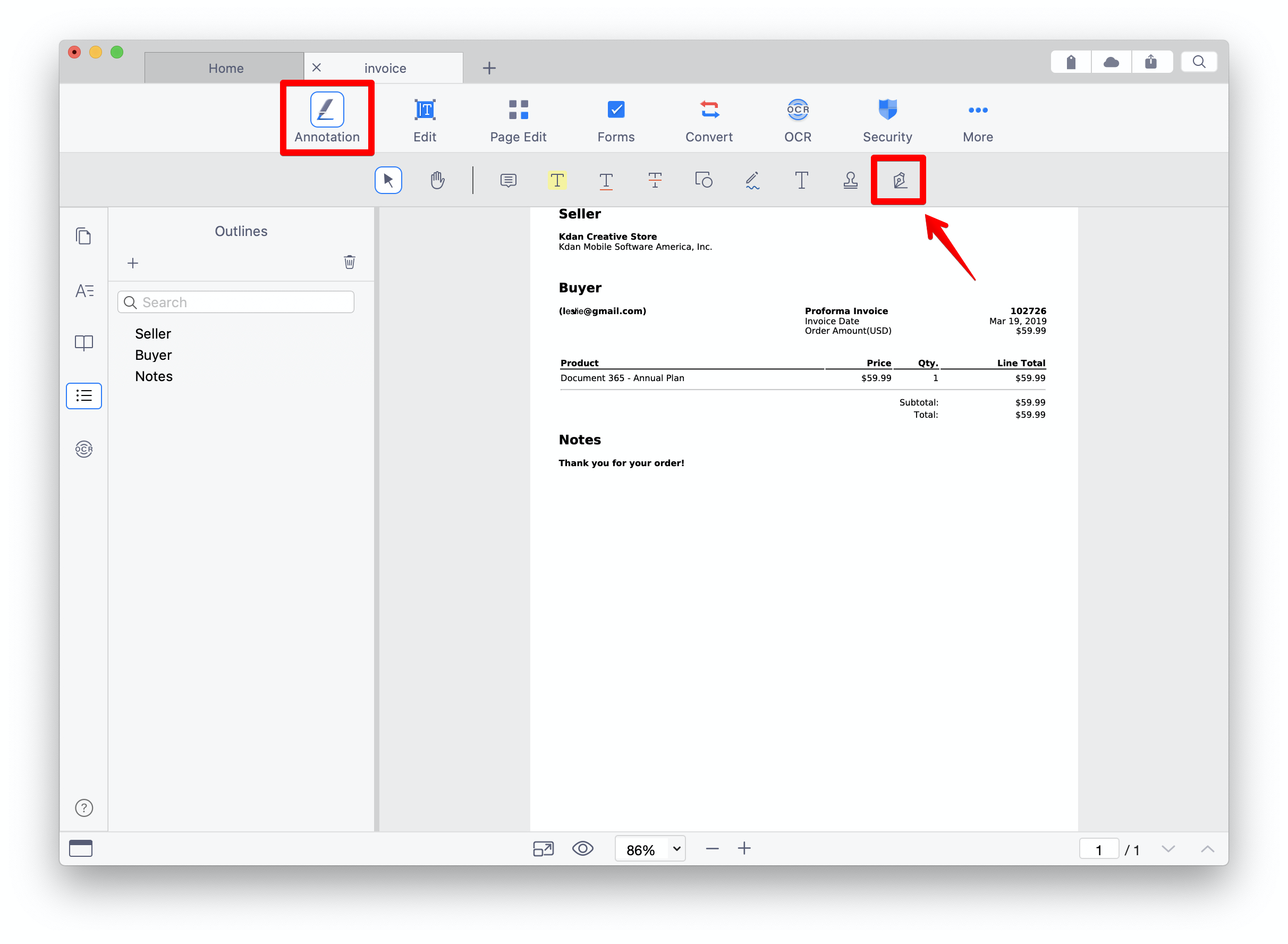
2. Click "Annotation" from the main menu bar and click the signature icon on toolbar.
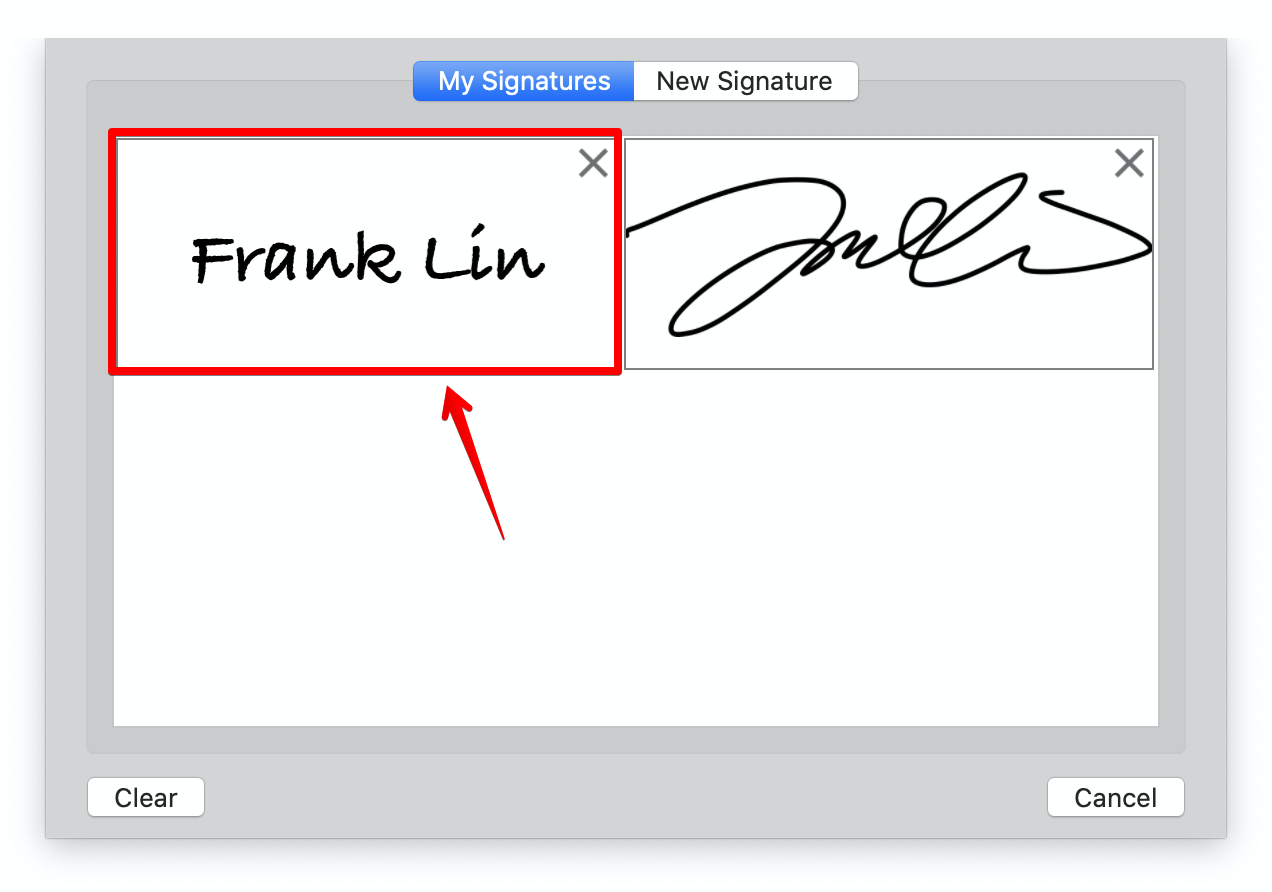
3. You will see the signature library where stores all signatures you created. You can select an existing signature and add it to the PDF.
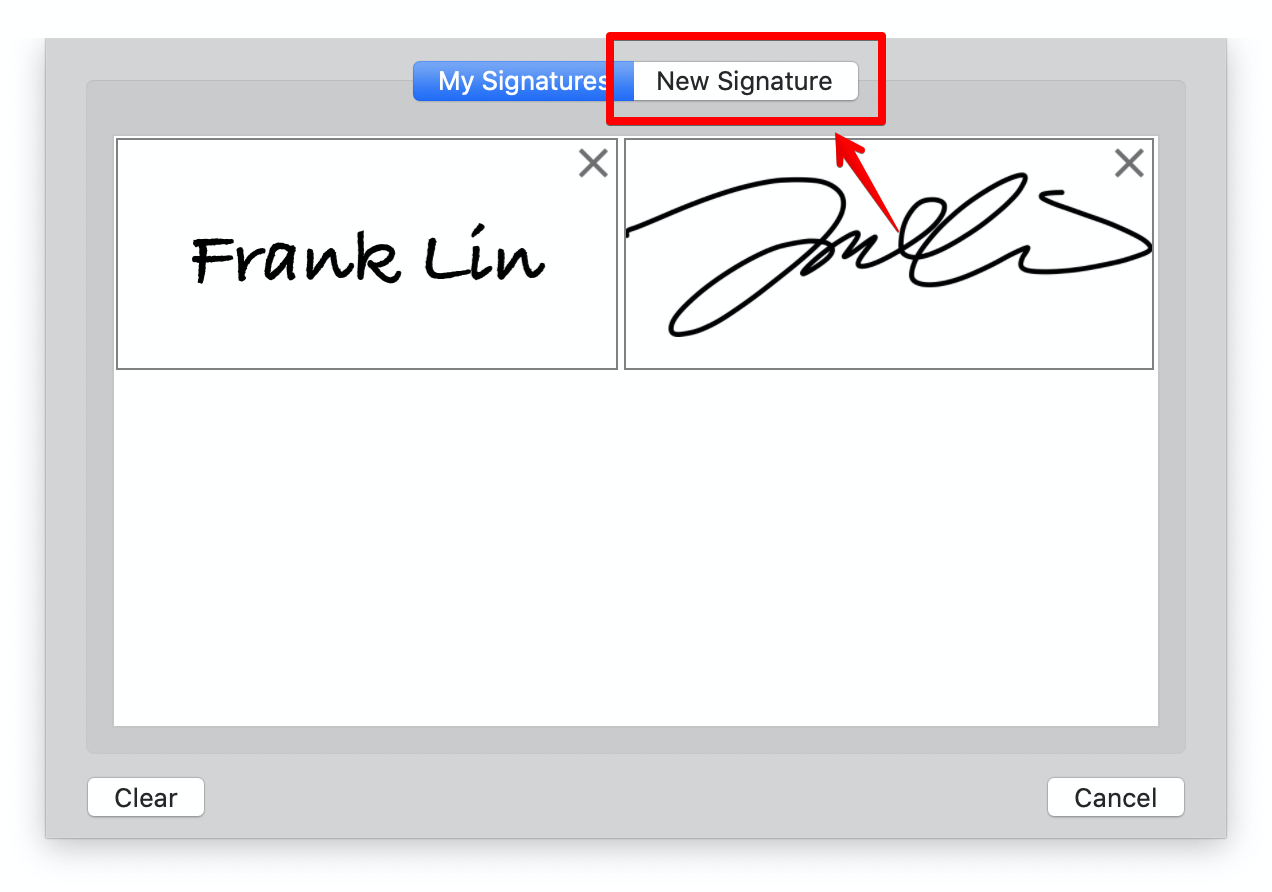
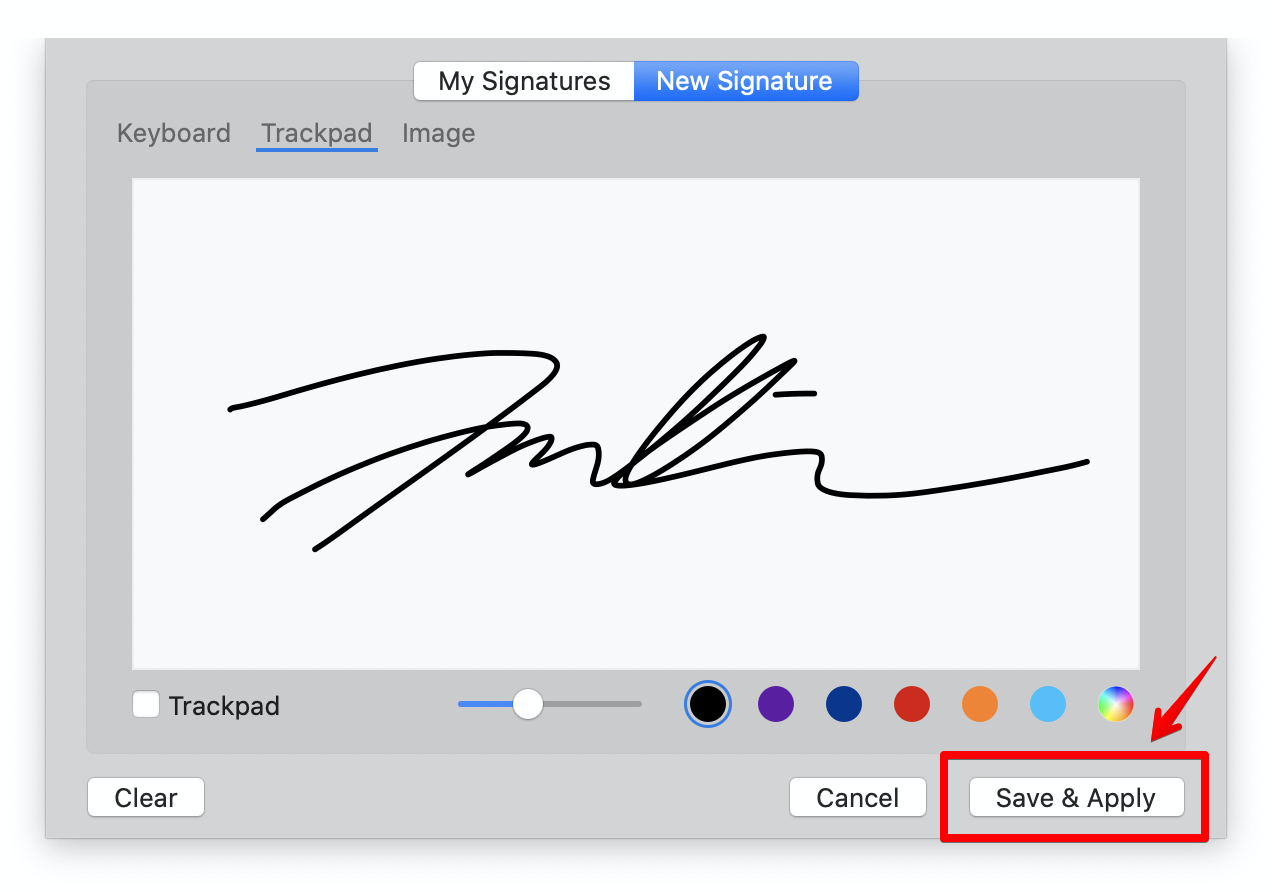
4. Or you may create a new one by clicking "New Signature" tab.
5. You can create your own signature using Keyboard, Trackpad, or a signature image.
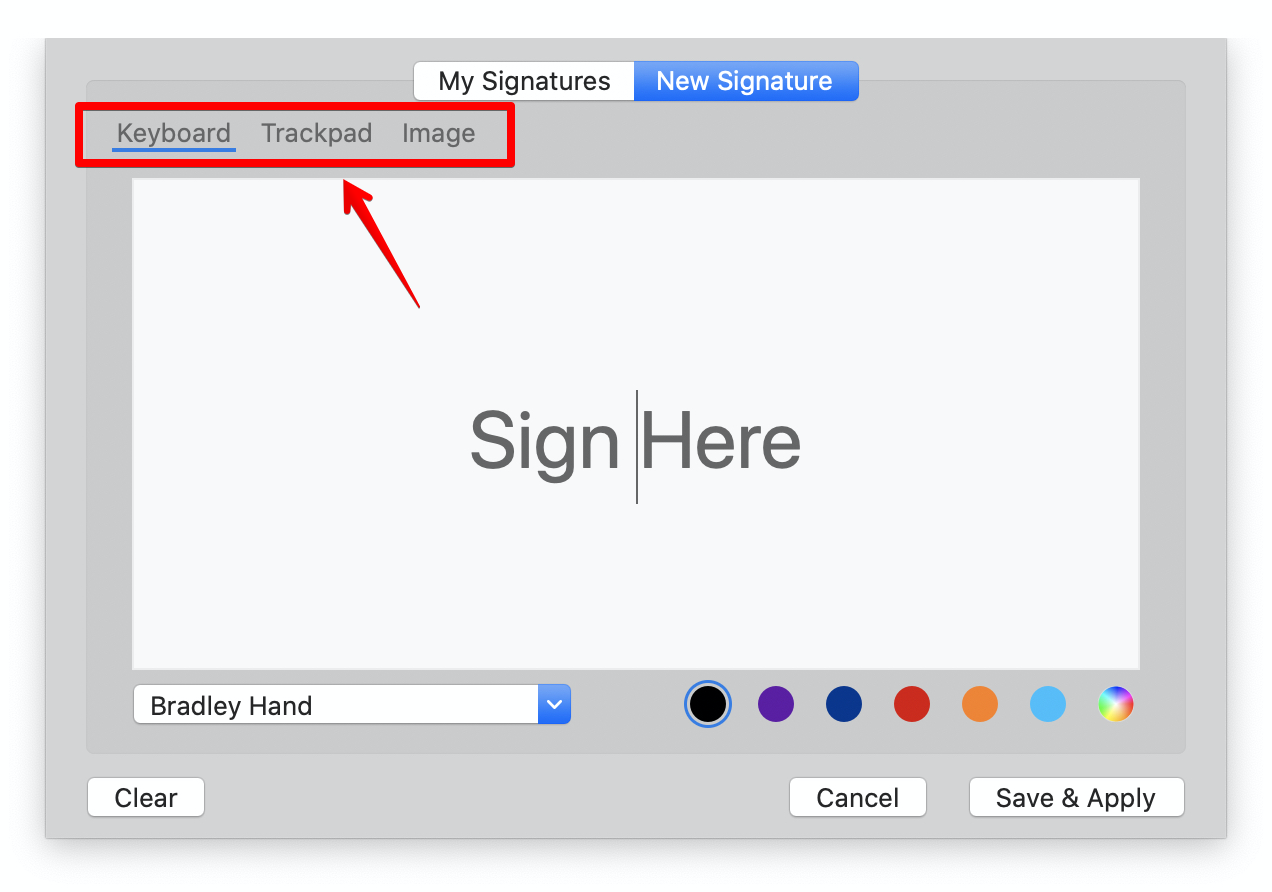
5. Click "Save & Apply" to add the signature to where you want it to be inserted in the PDF.
Updated
Comments
0 comments
Please sign in to leave a comment.