You can make a selection on the canvas on a particular layer. You can copy or cut the selected object, paste it on another layer or frame, or delete the object completely.
Selection Tool & the Buttons
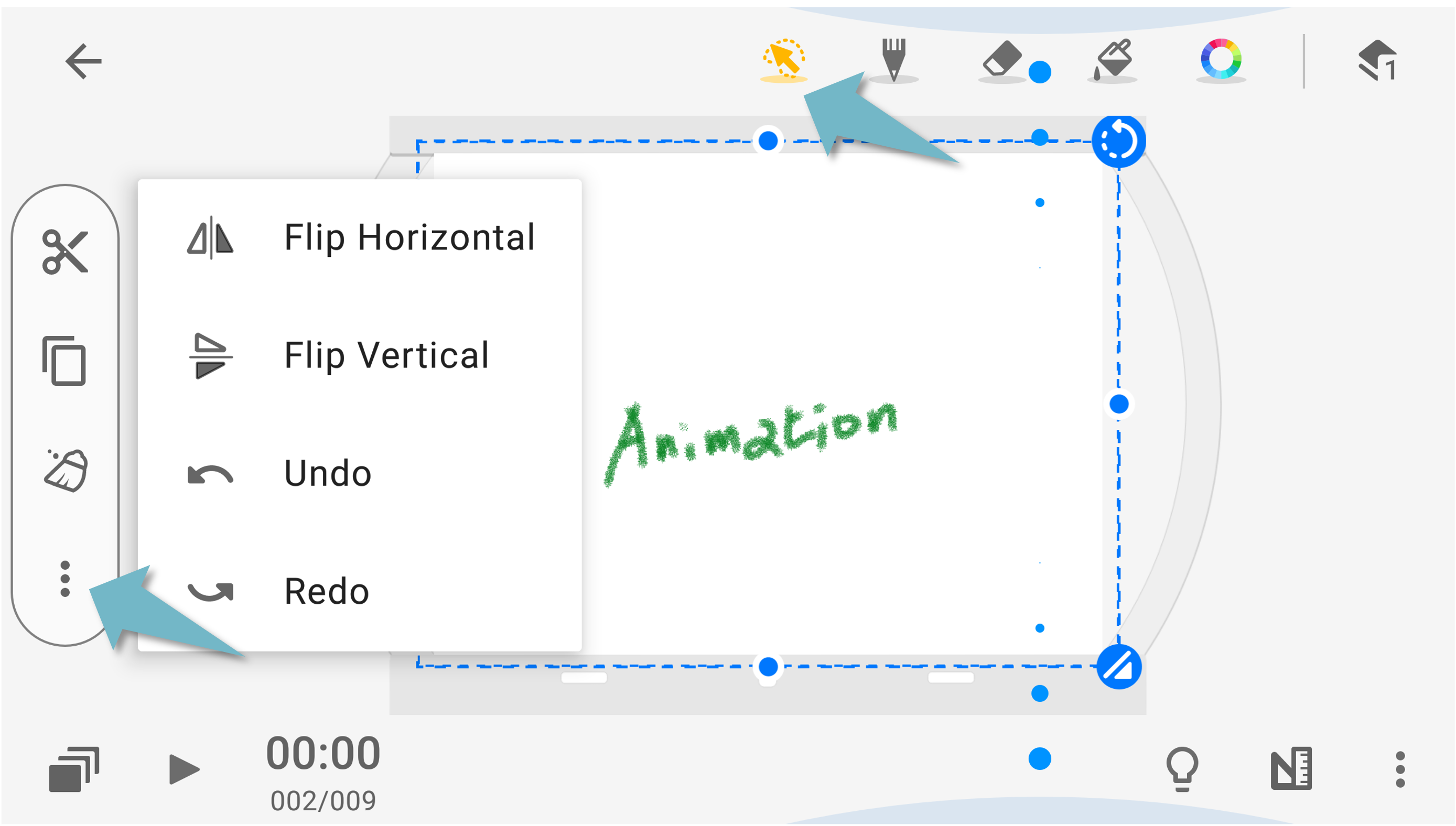
- Upper Right Arrow Button: press and drag to rotate the picture
- Lower Right Arrow Button: hold down and drag to zoom the picture proportionally
- Remaining Three Buttons: press and drag to transform the picture
Button at the left
 Cut
Cut Copy
Copy Clear the selected area
Other buttons
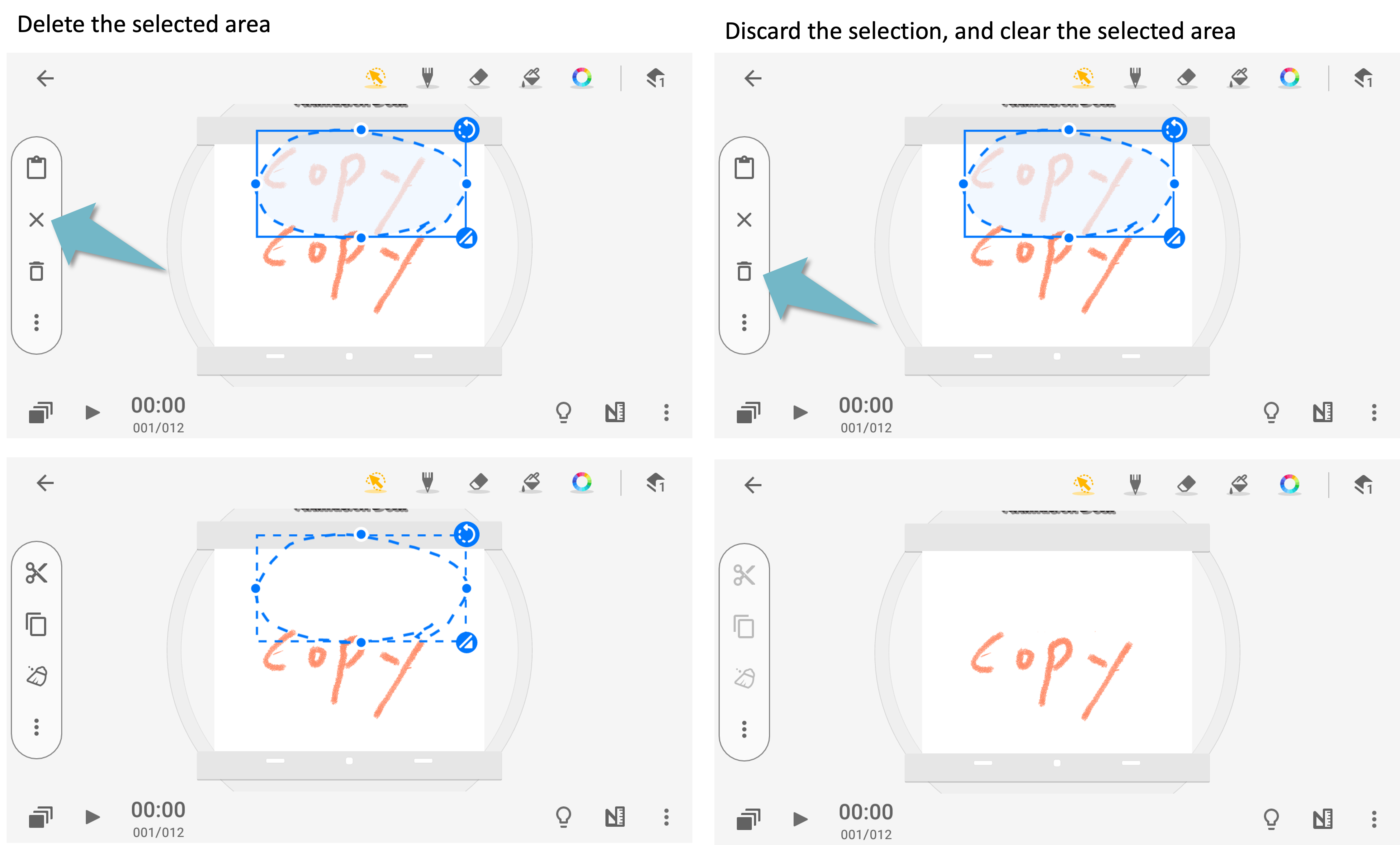
 Delete the selected area
 Discard the selection, and clear the selected area
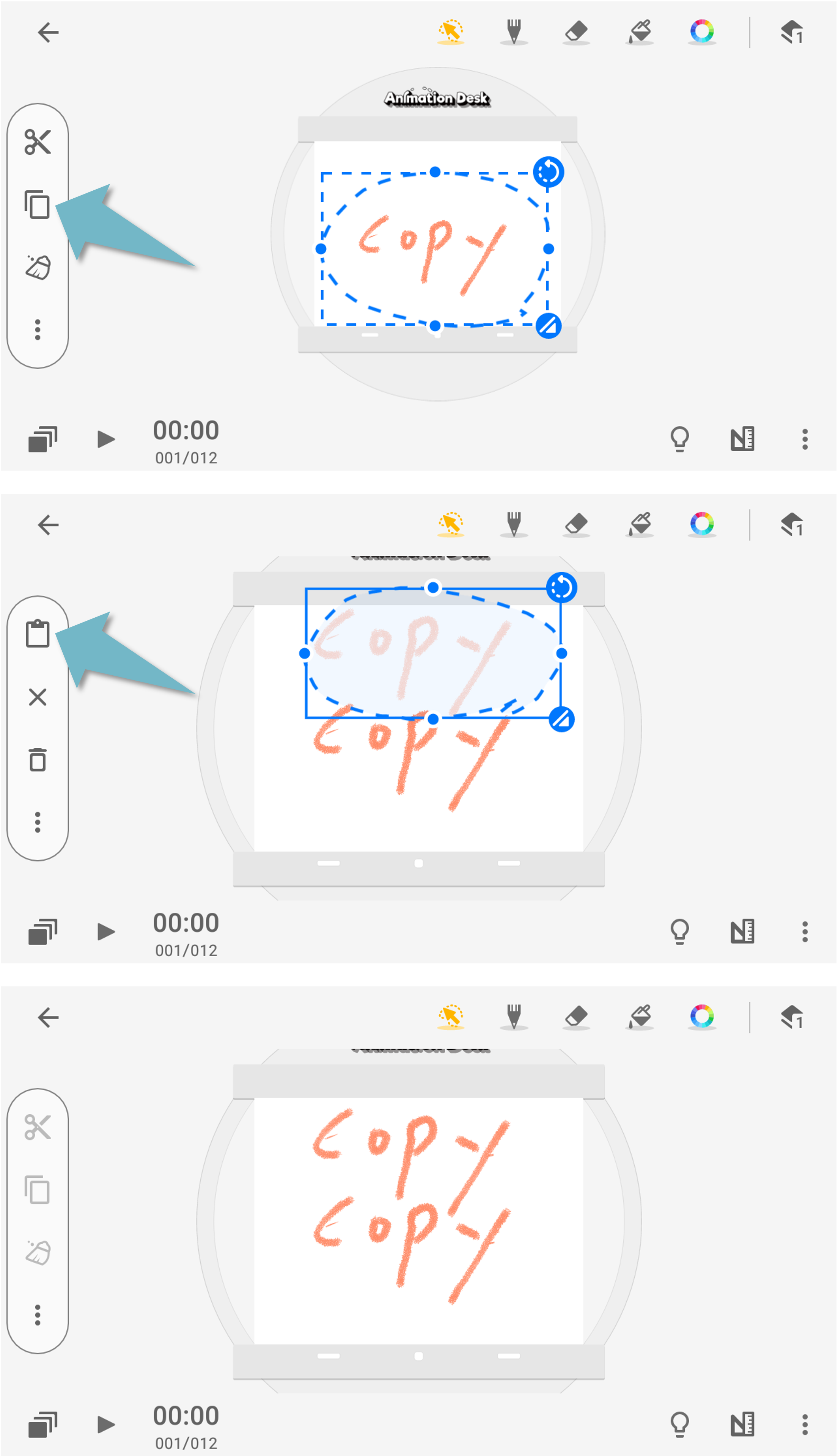
Copy & Paste the Selection
Select an area that you wish to copy, and tap the "Copy" button.
Tap the " " button to paste the copied object. If you tap elsewhere on the canvas, you will exit the selection mode.
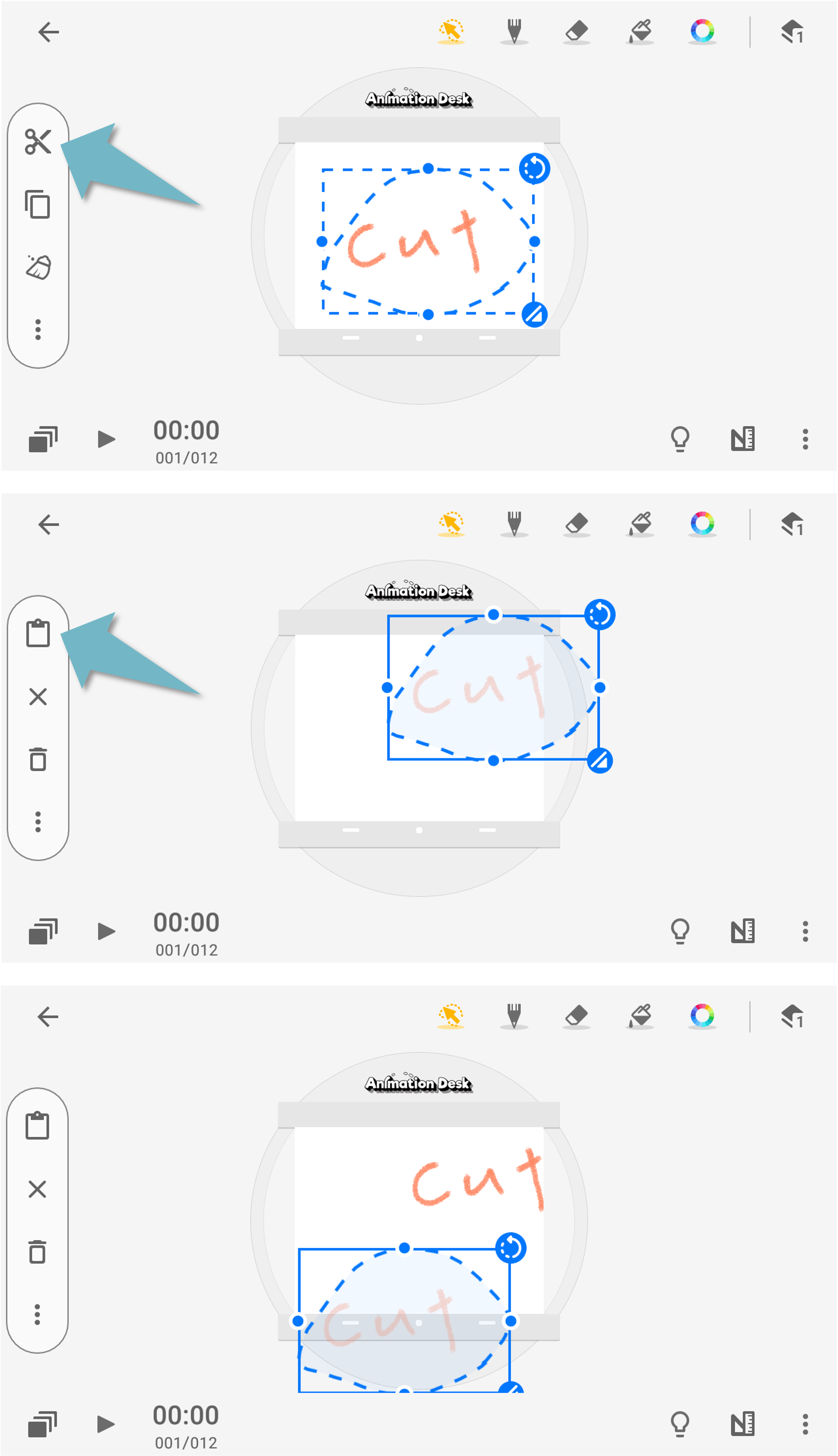
Cut & Paste the Selection
Select an area that you wish to copy, and tap the "Cut" button.
Tap the "" button to paste the object. If you tap elsewhere on the canvas, you will exit the selection mode.
Tap the " " button to discard the selection and delete the selected area.
Cancel the Selection & Discard and Delete the Selection
Updated
Comments
1 comment
I tried using this tool but it doesn't work. What happened
Please sign in to leave a comment.