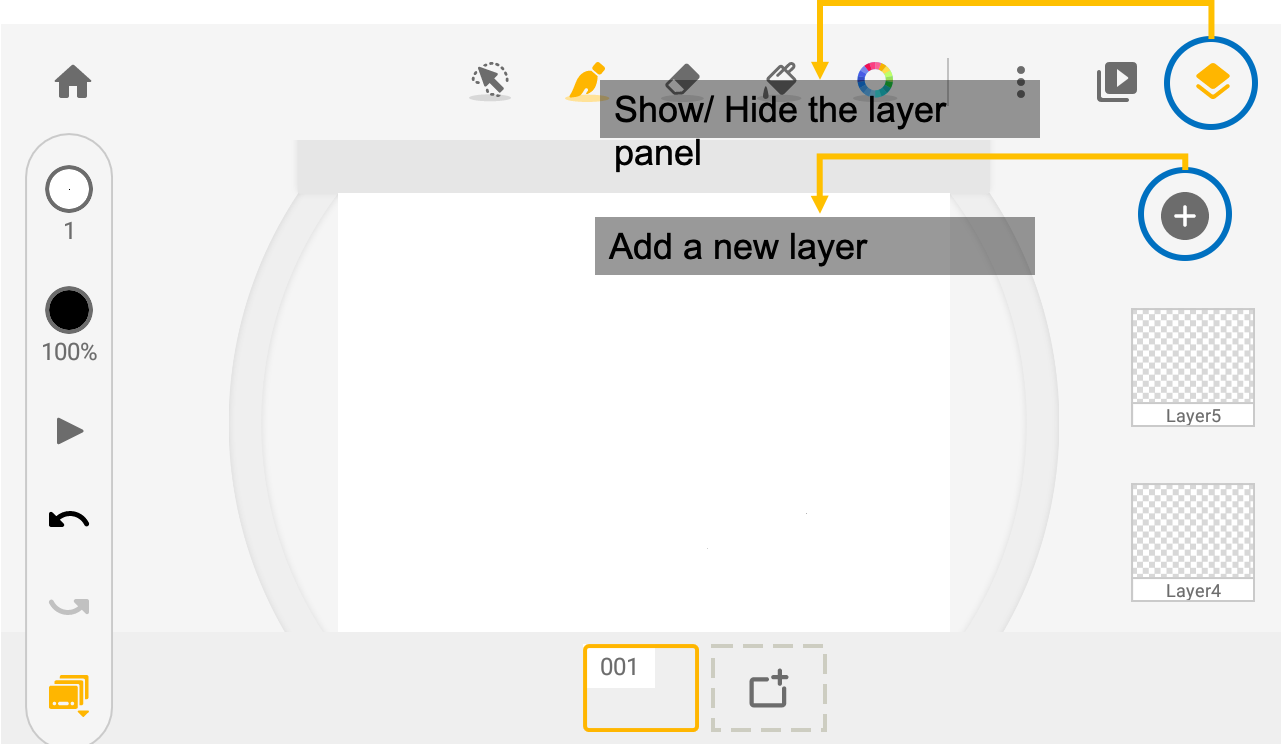
On the right side of the frame, you will see the layers. The free plan includes 1 background and 3 sketch layers. If you need additional layers, please consider the subscription plan.
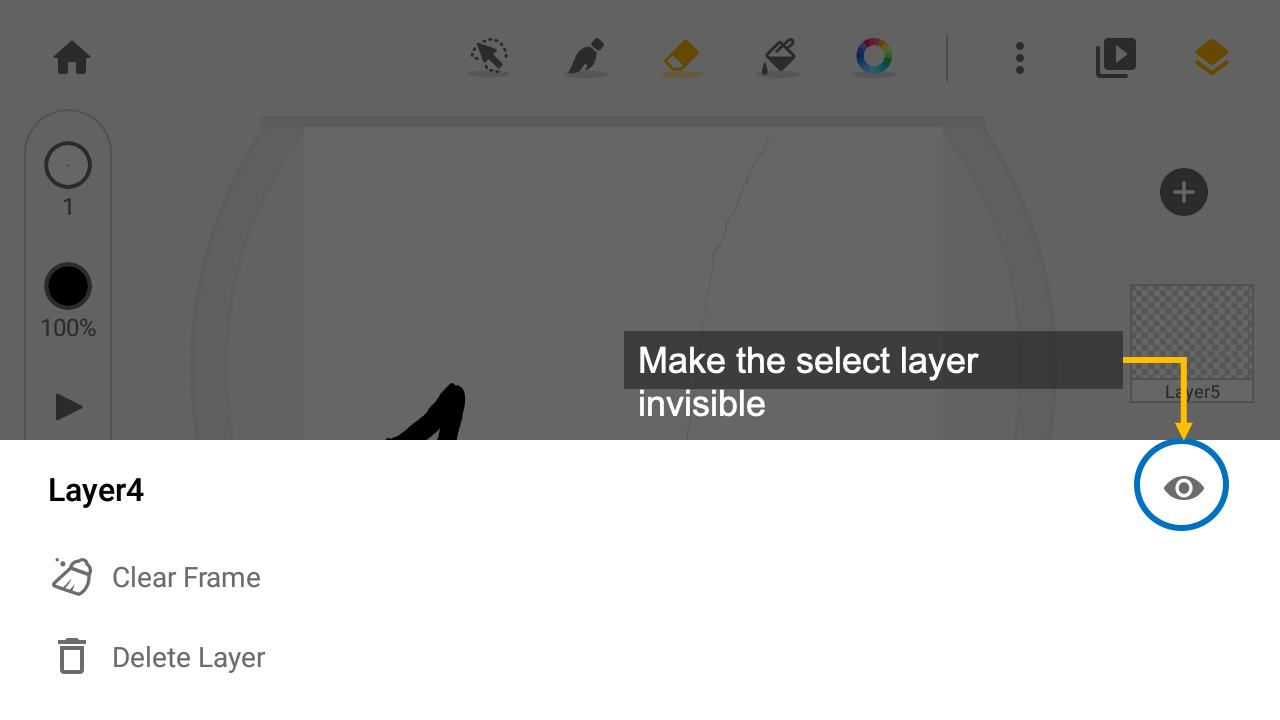
Tap on the layer thumbnail, to edit the layer property.
- Clear: clear the frame on this layer
- Remove: remove this layer. The layer with be deleted permanently
Updated
Comments
2 comments
How do you merge layers?
How do you select/alter the background?
also lower the opacity of the background?
I cant affect the background at all this seems limiting
what if I want to change it?
Please sign in to leave a comment.