1. Tap "Edit" at the top of the "Documents" tab/file library and you will see a check box listed in front of each file/folder.

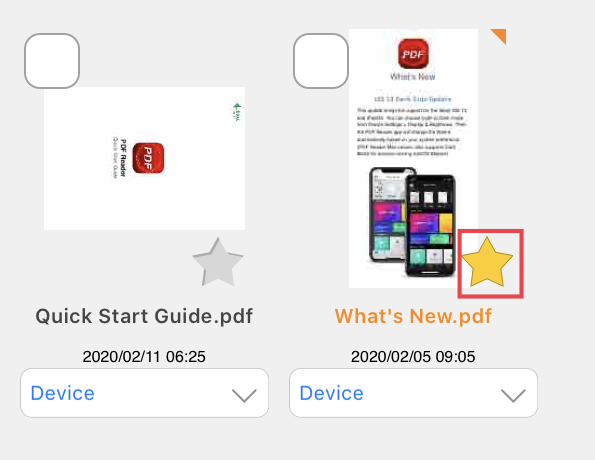
2. Tap the Star button to rate this folder as a favorite.
3. Folders can be sorted by Sort, Recent or Favorite by tapping on them.

Updated
Comments
0 comments
Please sign in to leave a comment.