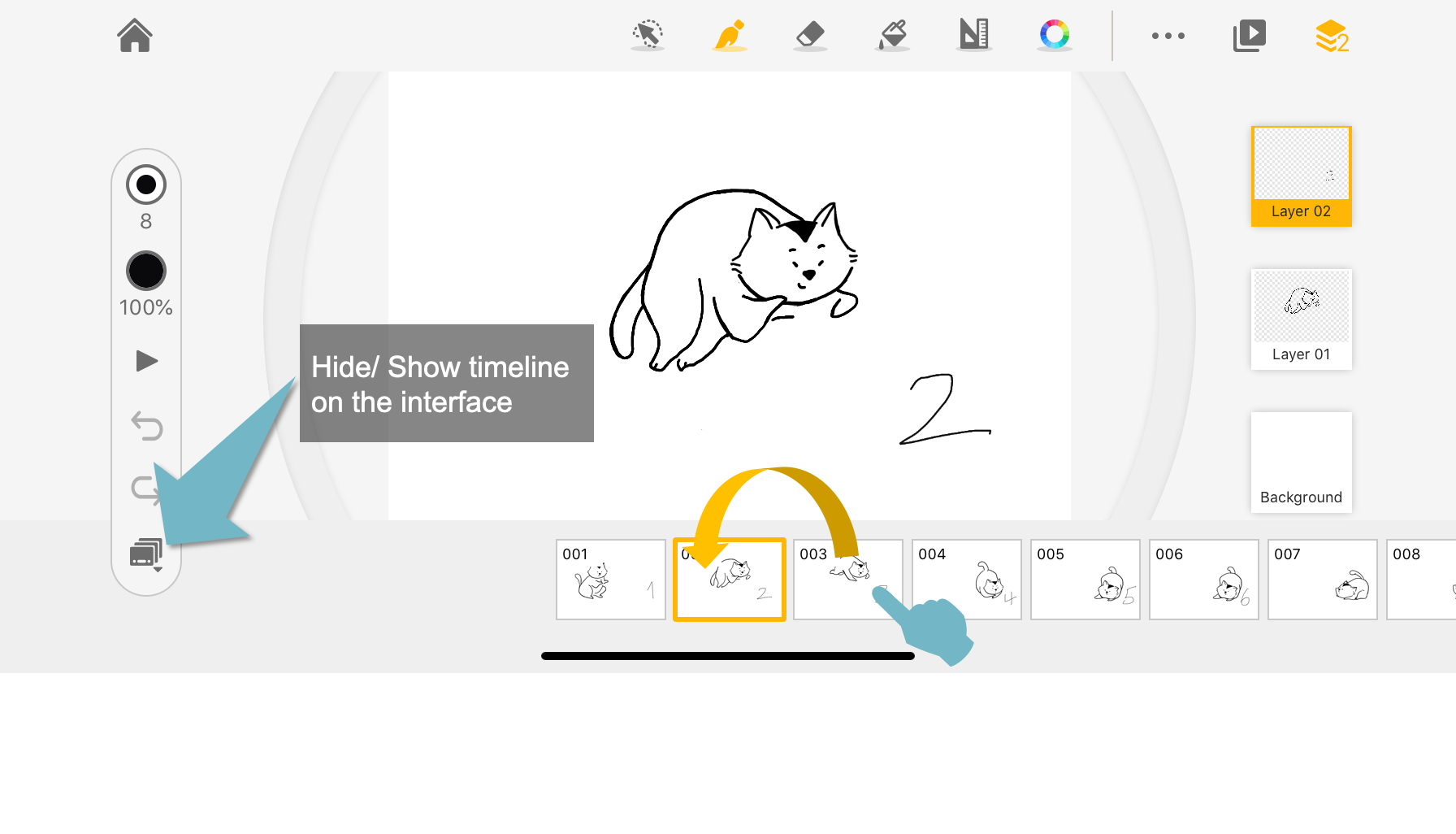
Open the timeline in the editing interface. Tap, hold, and drag to move the frame around.
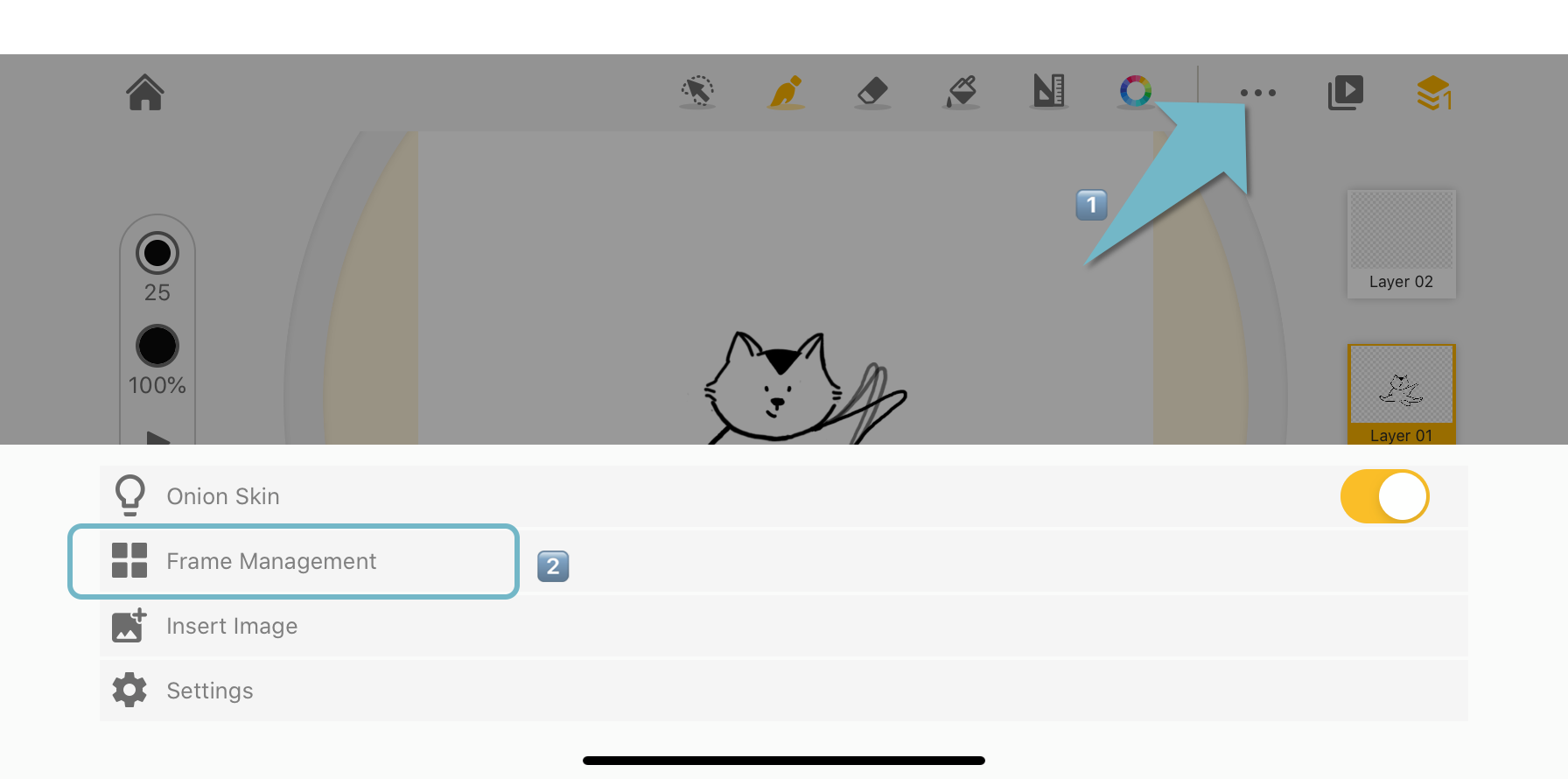
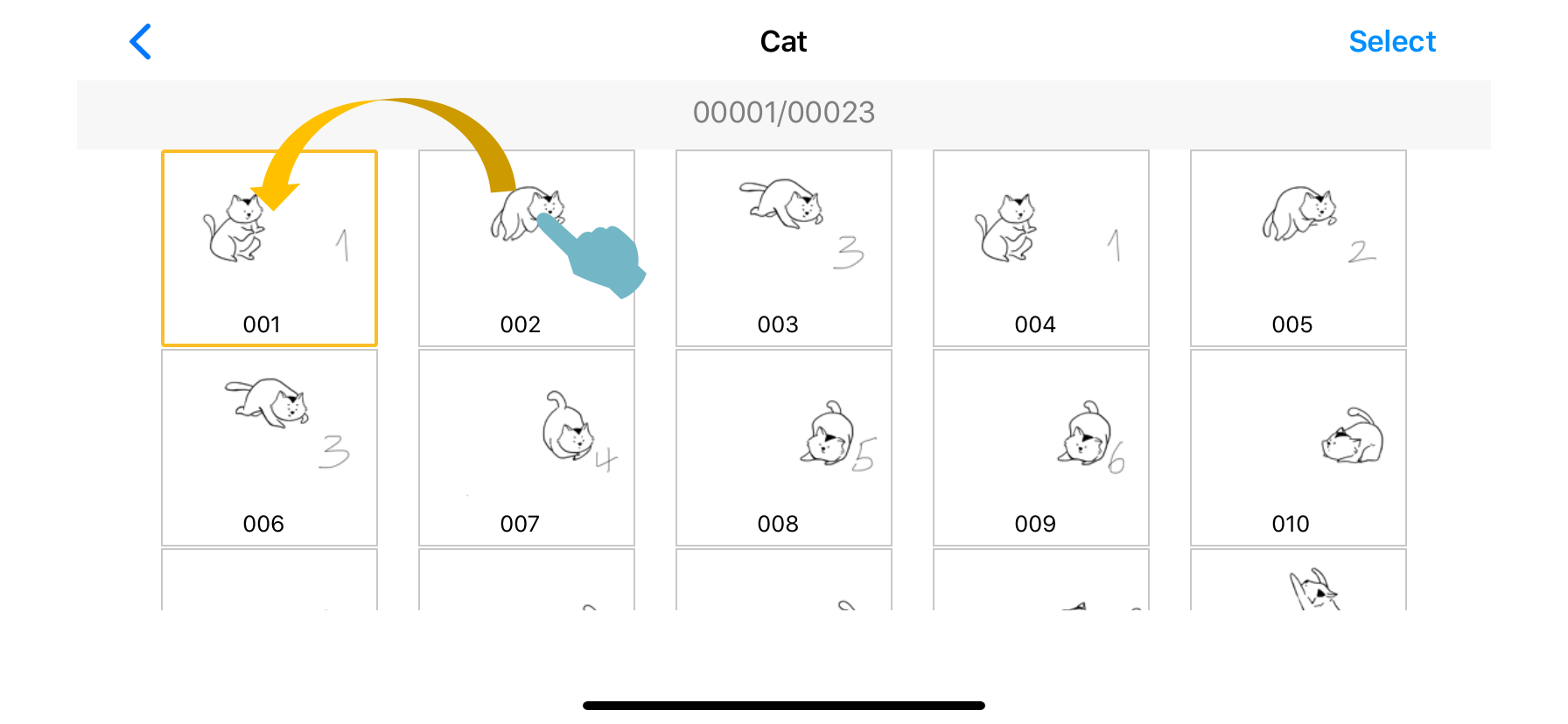
You can also rearrange the frame in the frame viewer. Select one or more frames, tap, hold, and drag to move the frame around.
Timeline
 Frame Viewer
Updated
Comments
0 comments
Please sign in to leave a comment.