1. Open the Mail app (using Apple's default mail app)
2. Log into your email account and find the attachment file you want to download in emails.
3. Long tap on the attachment, and you will see the Sharing extension dialogue.
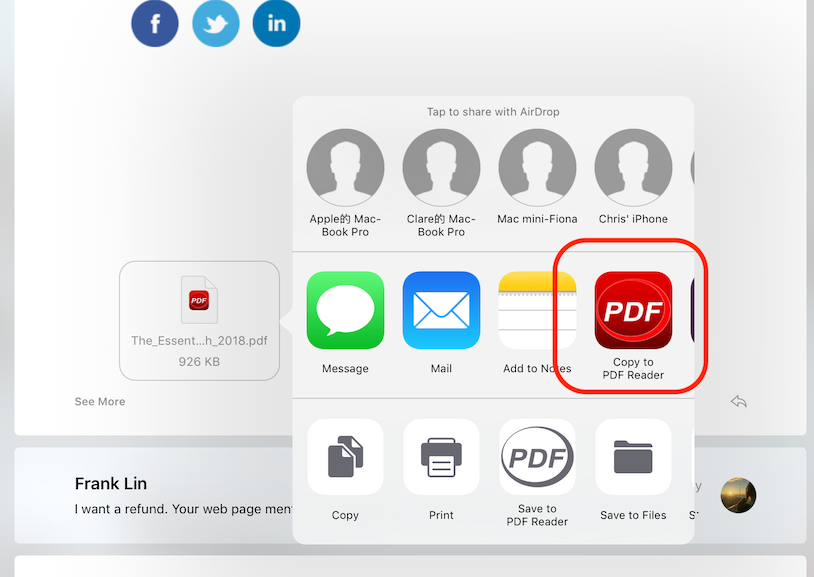
4. Choose "Copy to PDF Reader". Then a copy will be saved to PDF Reader.
Updated
Comments
0 comments
Please sign in to leave a comment.