1. Tap "Create PDFs" in the "Home" tab.
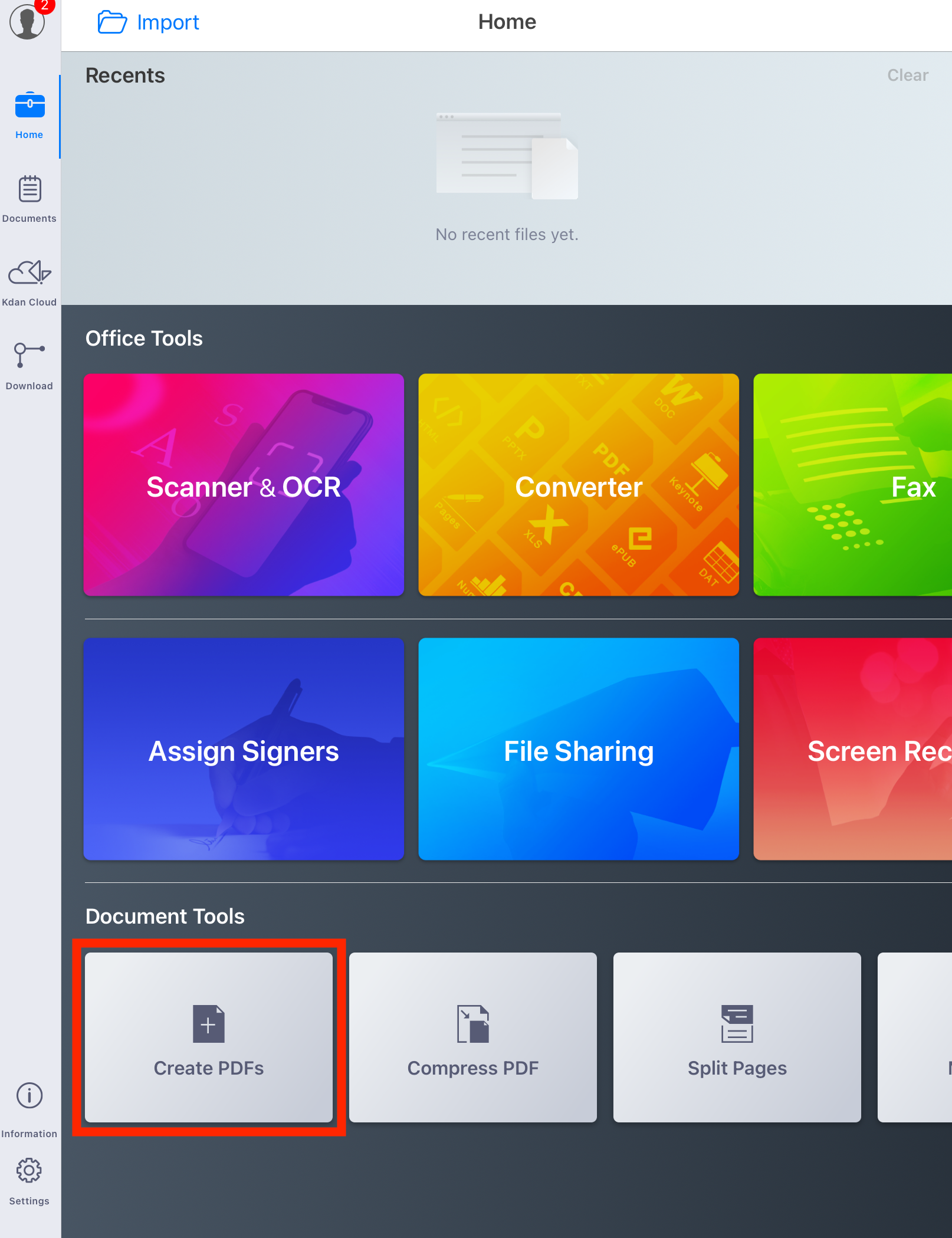
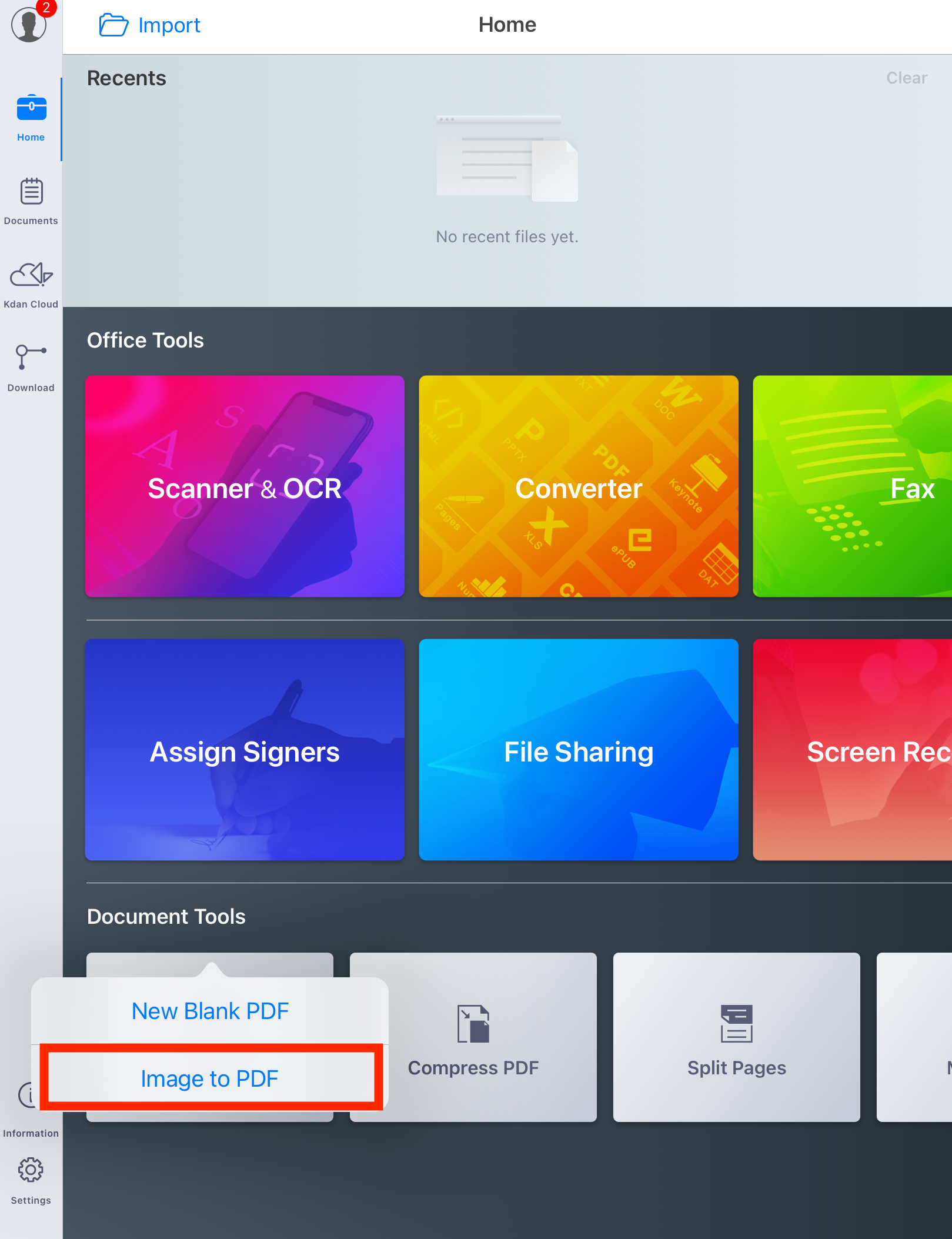
2. Tap "Images to PDF" and select one or more images from within your Photo Library, and then they will be immediately imported to PDF Reader. The images will be saved as a new PDF.
Updated
1. Tap "Create PDFs" in the "Home" tab.
2. Tap "Images to PDF" and select one or more images from within your Photo Library, and then they will be immediately imported to PDF Reader. The images will be saved as a new PDF.
Updated
Comments
0 comments
Please sign in to leave a comment.