Note: Please make sure that you have subscribed to Kdan Cloud service and logging in to your account.
1. Open a PDF file.
2. Tap  at the navigation toolbar.

3. Tap “Edit Watermark”.
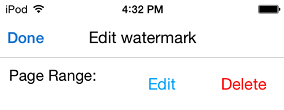
4. You will see a pop-up menu where you can edit or delete the watermark by selecting it and applying the option.
Updated
Comments
0 comments
Please sign in to leave a comment.