Flattening PDF forms and annotations enables the forms and annotations to become part of the document content and cannot be edited.
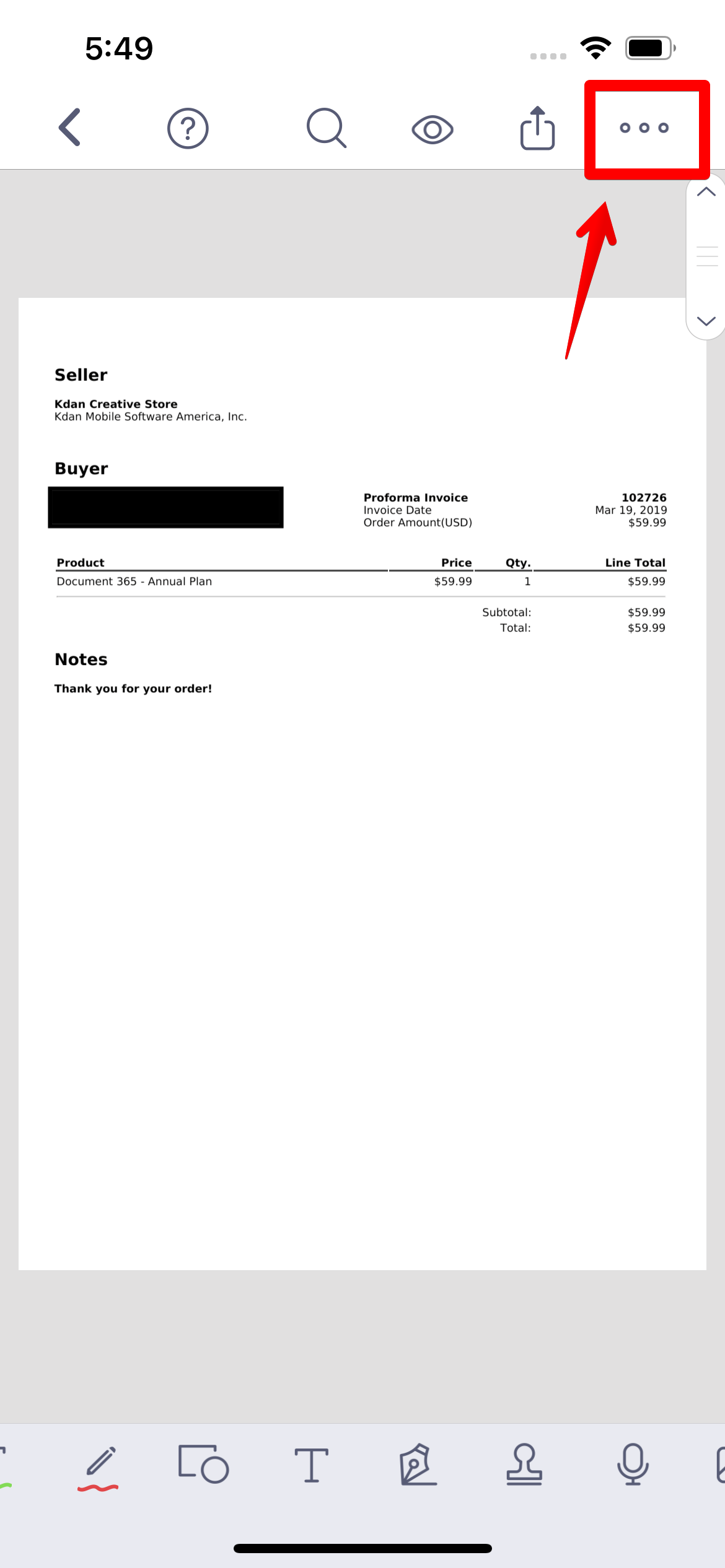
1. Open a PDF and tap the "More" button in the top right corner of the screen.
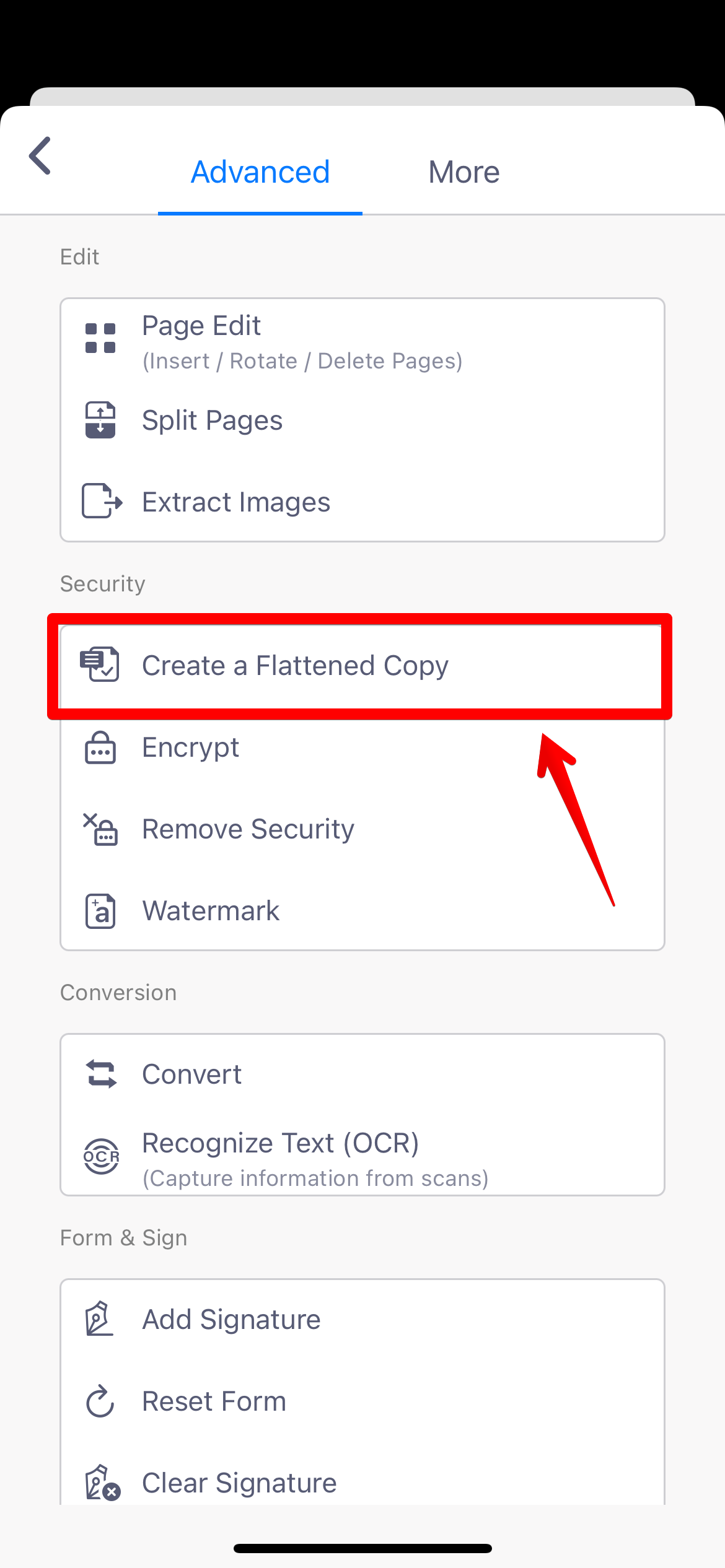
2. Select “Create a Flattened Copy” to enable the flatten process.
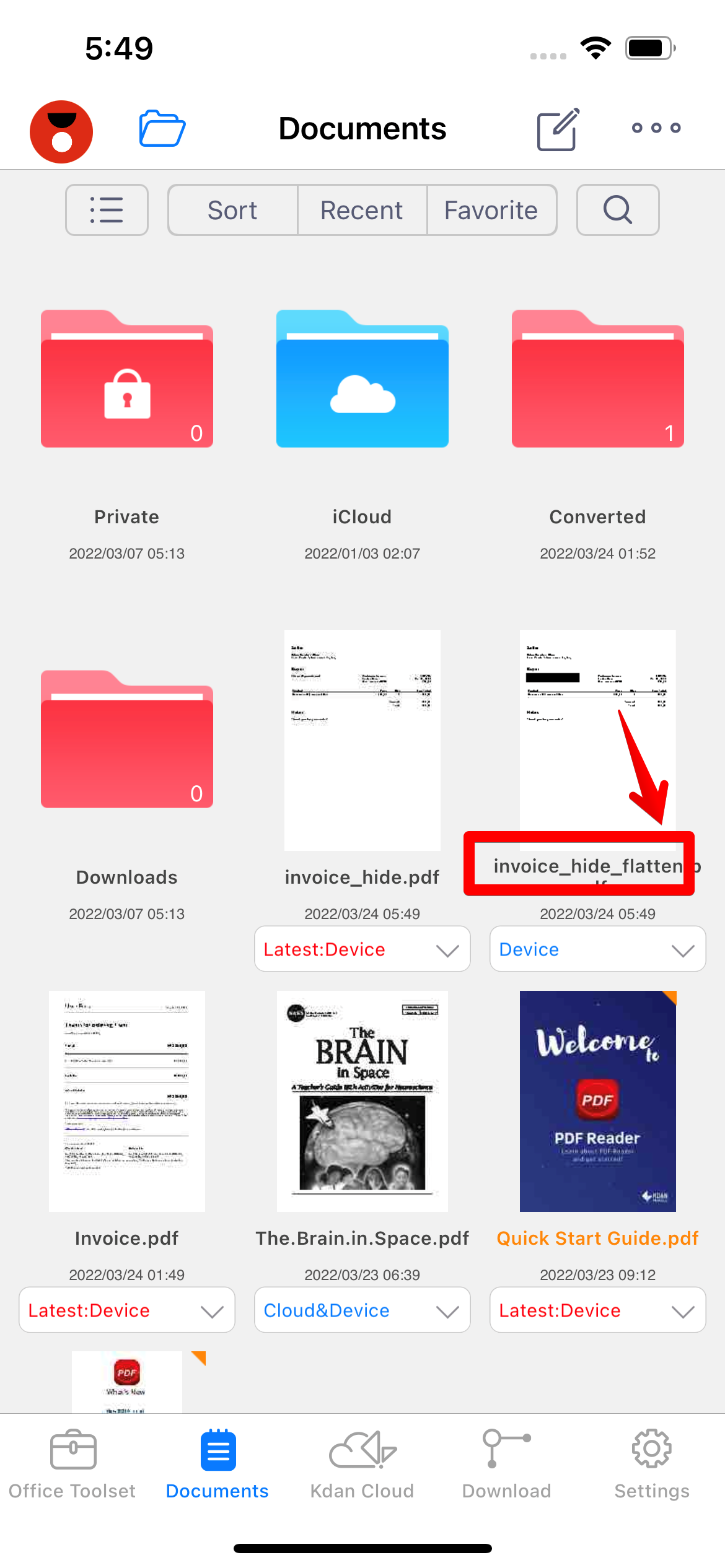
3. A flattened copy of the PDF will be created and saved in your file list in the Documents tab.
(Δ Attention: Please note that annotations in the flattened copy will no longer be able to be edited or moved. This is designed to protect your important information, such as form fields and signatures.)
Updated
Comments
0 comments
Please sign in to leave a comment.