- If you would like to access a file through an existing URL, tap on the "Download" tab
 in the bottom menu, then select "URL Download"
 .
- Input the URL of the file.
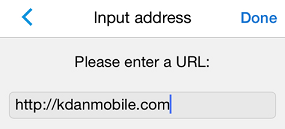
- Tap "Done."
- The link file will be in the "Downloads" folder.
Updated
in the bottom menu, then select "URL Download" Updated
Comments
0 comments
Please sign in to leave a comment.