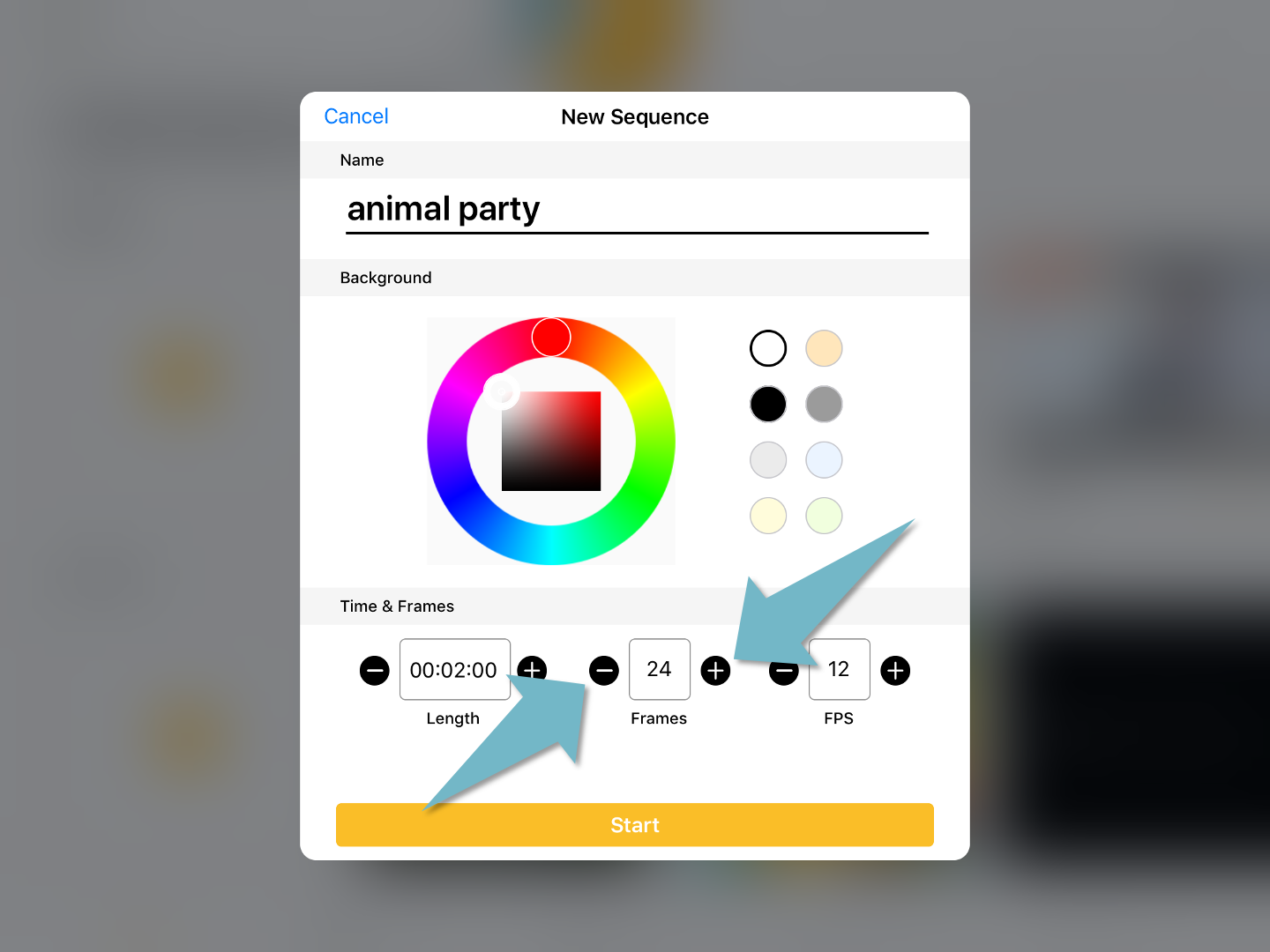
You can set up the number of frames when creating an animation sequence. The maximum number you can put here is 100, but you can add more frames to the sequence later.
Long tap on the “-” or “+” to deduct or add the numbers in the box.
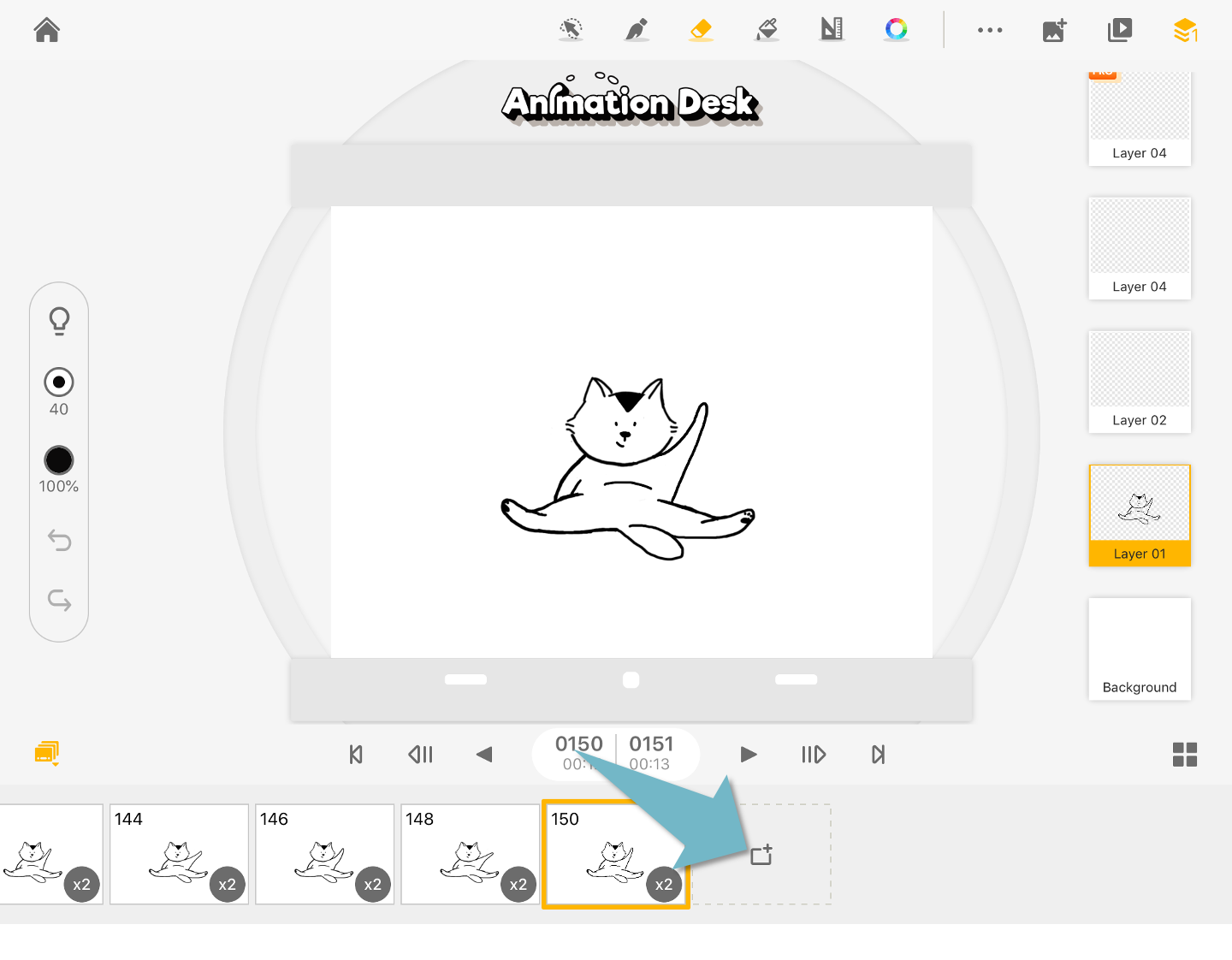
In the editing interface, you can add new frames by scrolling to the end of the timeline. Tap “+” to add new frames.
Updated
Comments
2 comments
I don’t see these controls in the iPhone app. Is there a way to add frames on the iPhone?
Hi Bill,
For iPhone, adding a frame is on the right top corner of your frame. Please check the instruction here:
https://support.kdanmobile.com/hc/en-us/articles/115004921514-Add-New-Frames
Please sign in to leave a comment.