This article shows you how to create personalized animated GIF stickers with Animation Desk for Message on iPad and iPhone.
When exporting your animation, select to export it into a GIF.
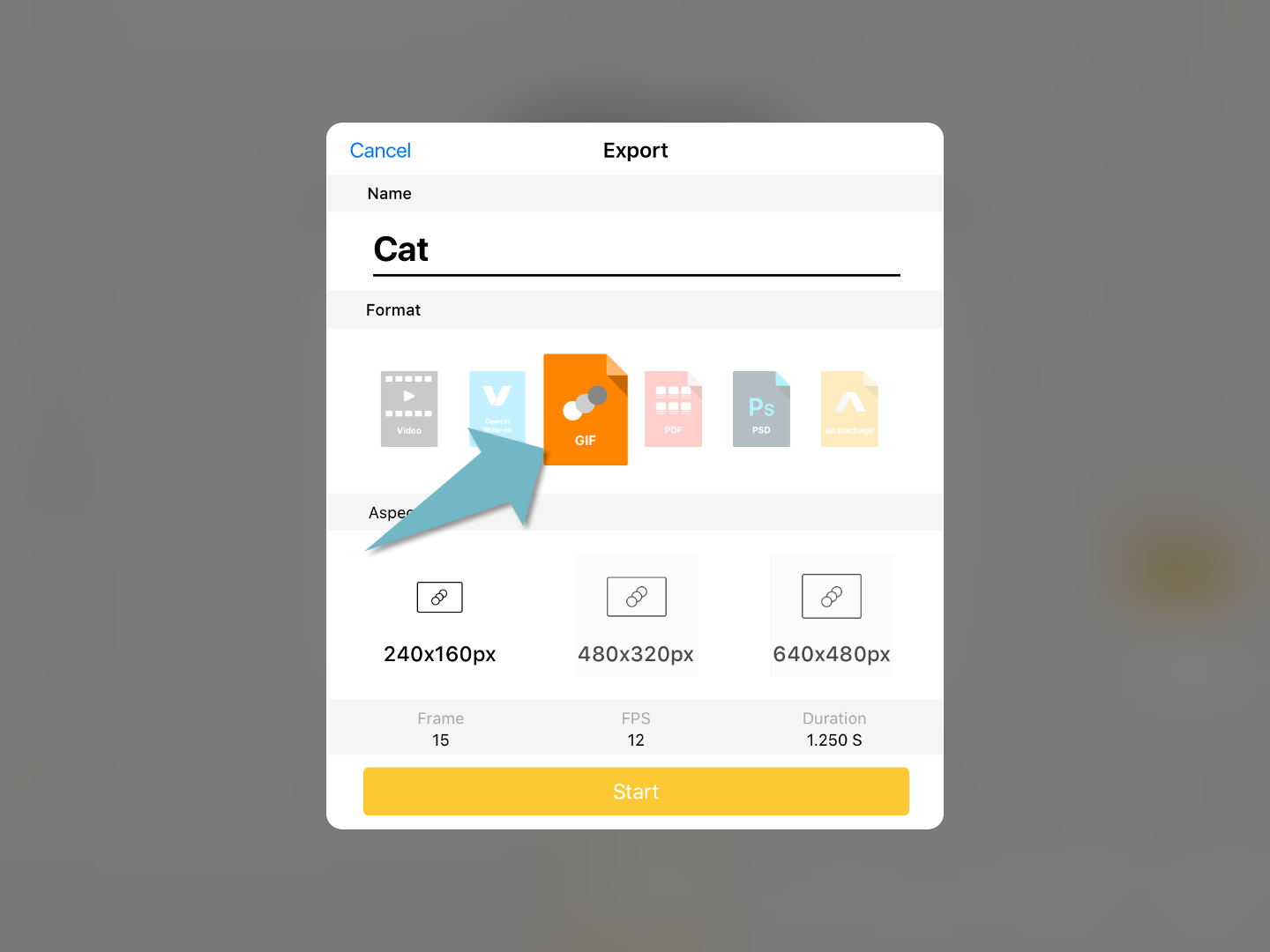
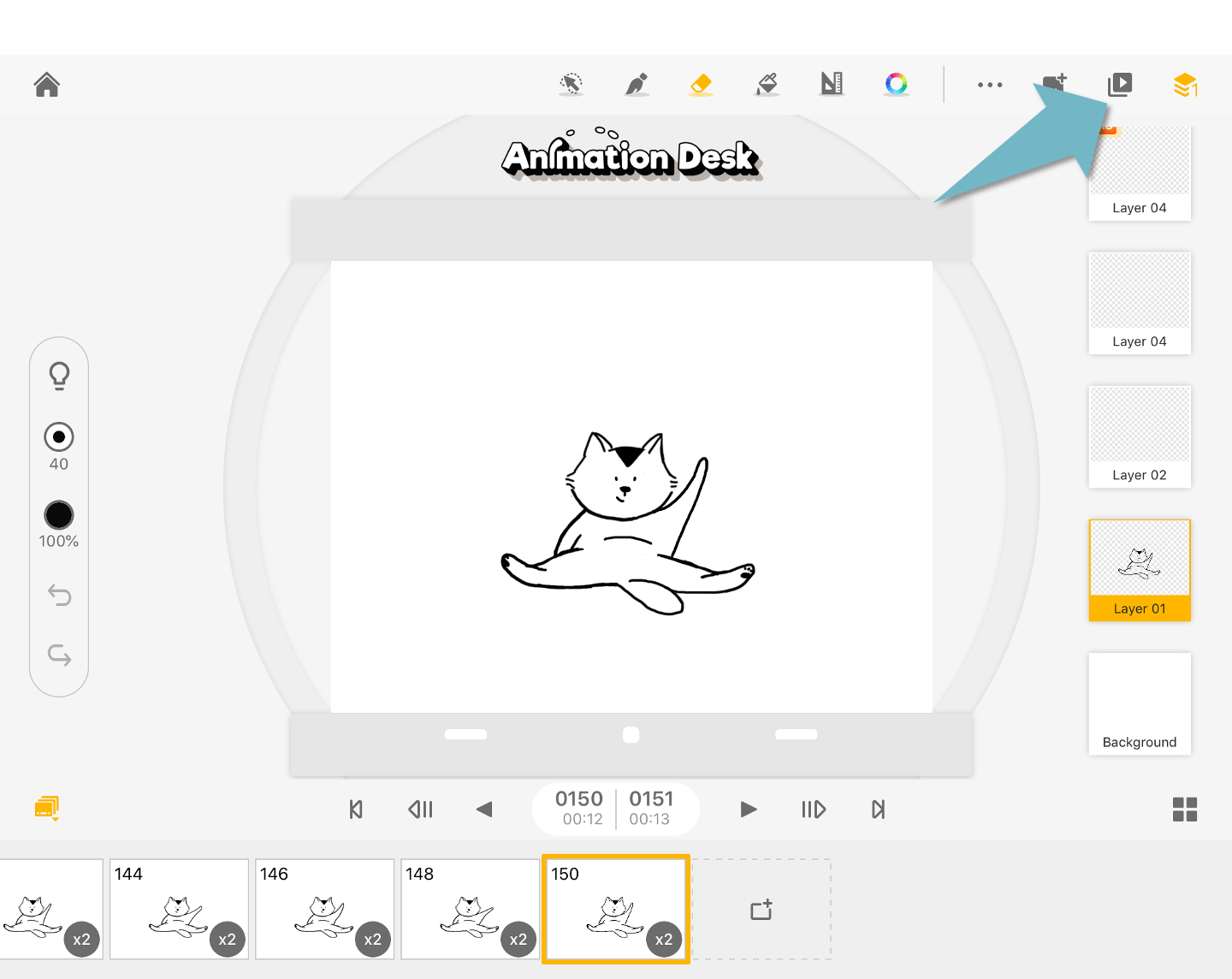
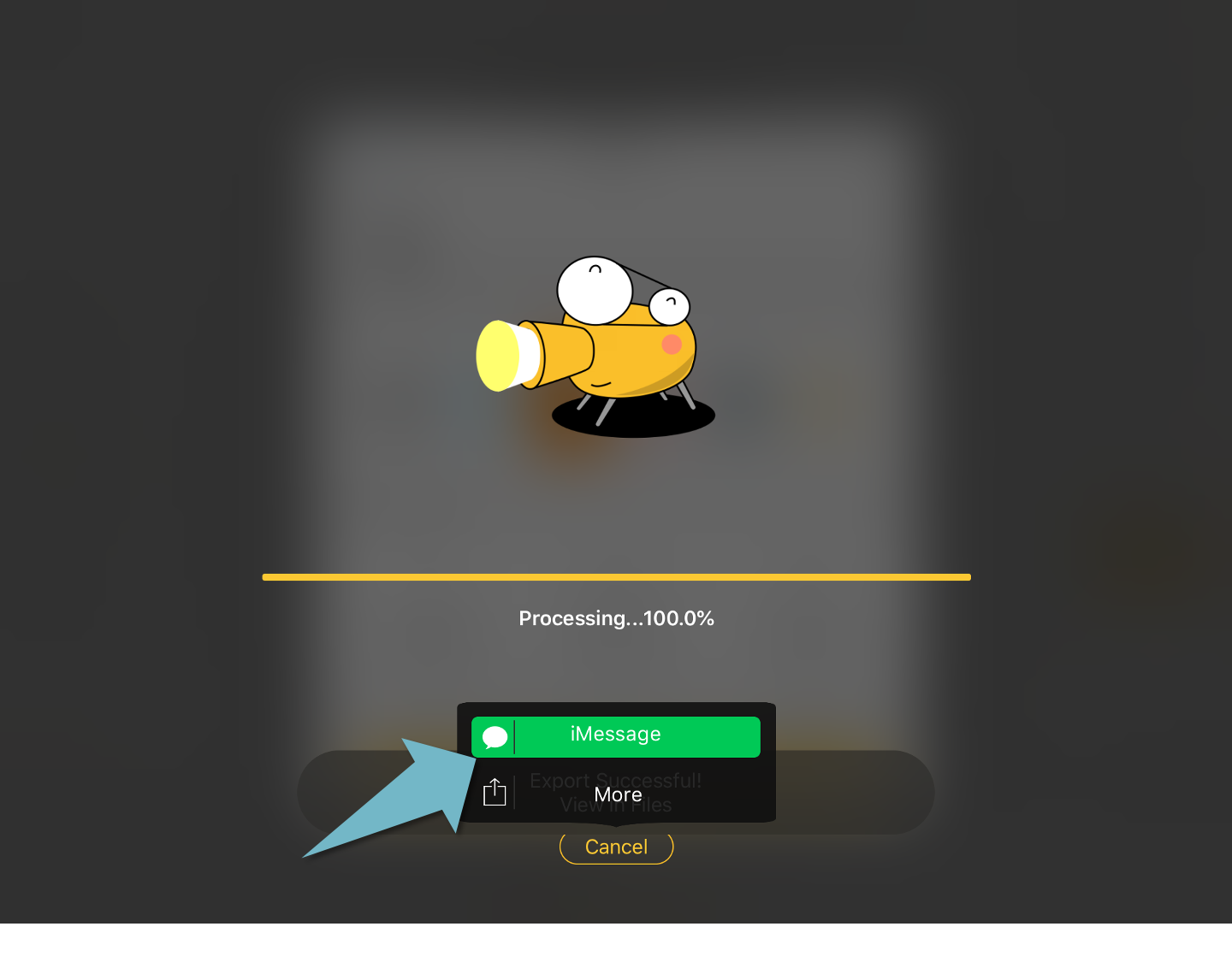
Save the animation as GIF. Animation Desk automatically saves your GIF in the Animation Desk folder. In the last step, you can share this GIF in the iMessenger app.
Updated
Comments
0 comments
Please sign in to leave a comment.