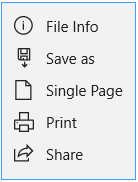
To see the details about your document, tap on the "more" icon in the top annotation toolbar  and then tap “File Info.”
A pop-up window will show the abstract, creation, and access information about the document.
Updated
To see the details about your document, tap on the "more" icon in the top annotation toolbar and then tap “File Info.”
A pop-up window will show the abstract, creation, and access information about the document.
Updated
Comments
0 comments
Please sign in to leave a comment.