What's a Color Palette
A color palette may consist of one or more colors. The purpose of a color palette is for animators to access and manage colors easily. You can set up unique color palettes for each character or a scene to ensure that the color usage is consistent in your work.
In Animation Desk, you can save up to 32 colors in a color palette. You can create multiple color palettes with the Creativity 365 or Animation Desk Pro subscription.
How to Create Color Palettes
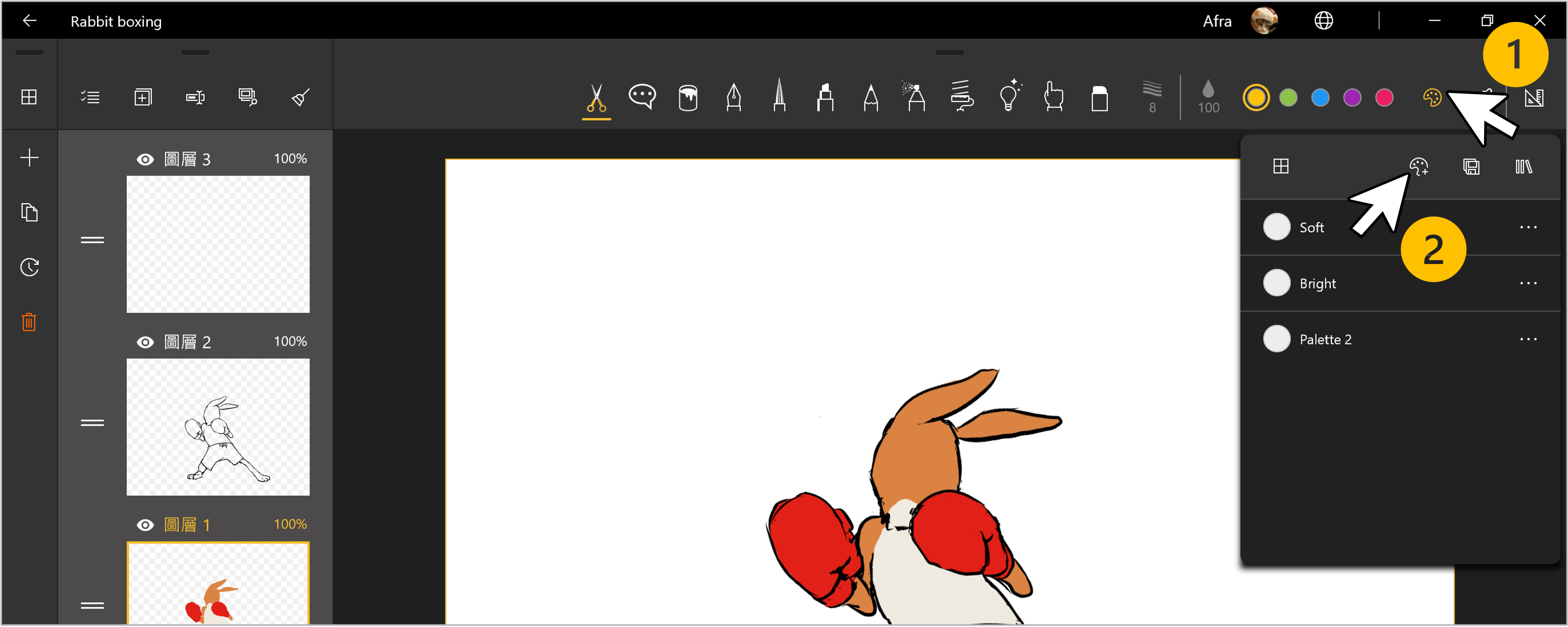
1. Tap the "Color Palette" button at the top right corner.
2. Tap the "+Color Palette"  button to create a new palette.
Edit the Palette, Add or Remove Colors
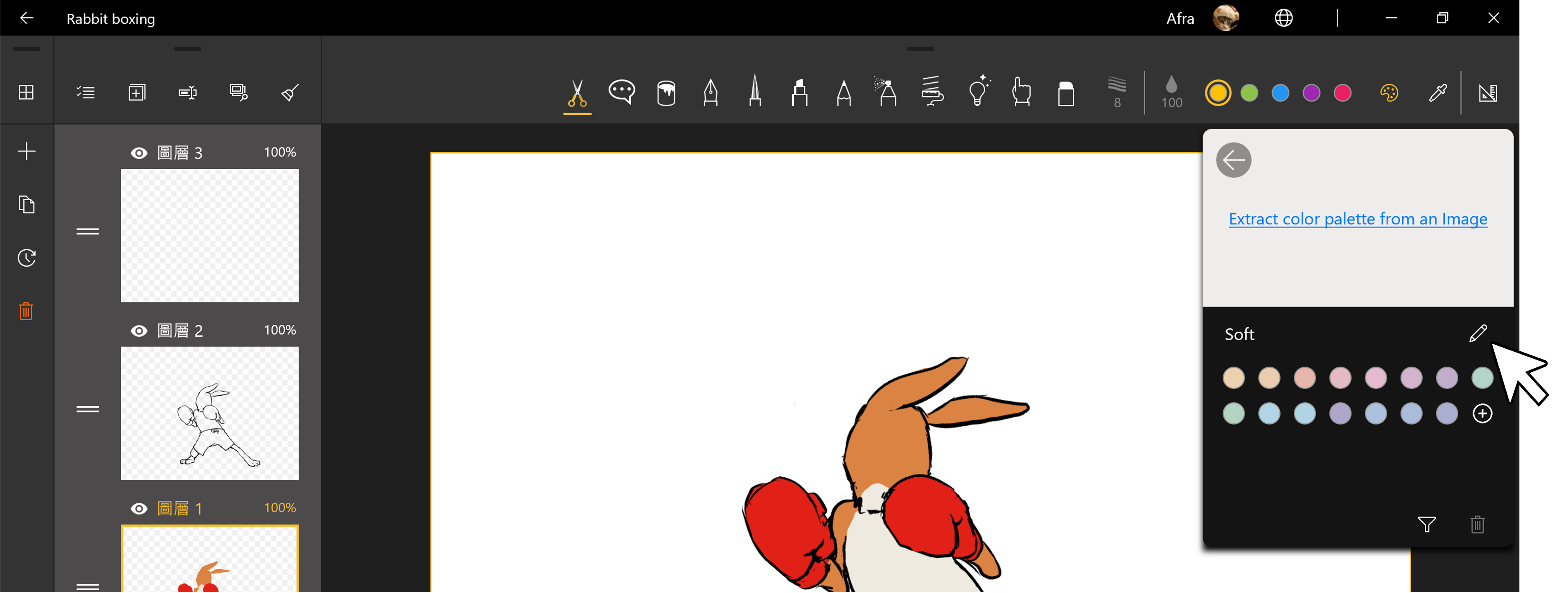
Rename a Palette: Tap the "Pencil" button to rename the palette.
Remove colors from a Palette: Select the colors that you wish to remove. Tap the "Bin" button to remove the color.
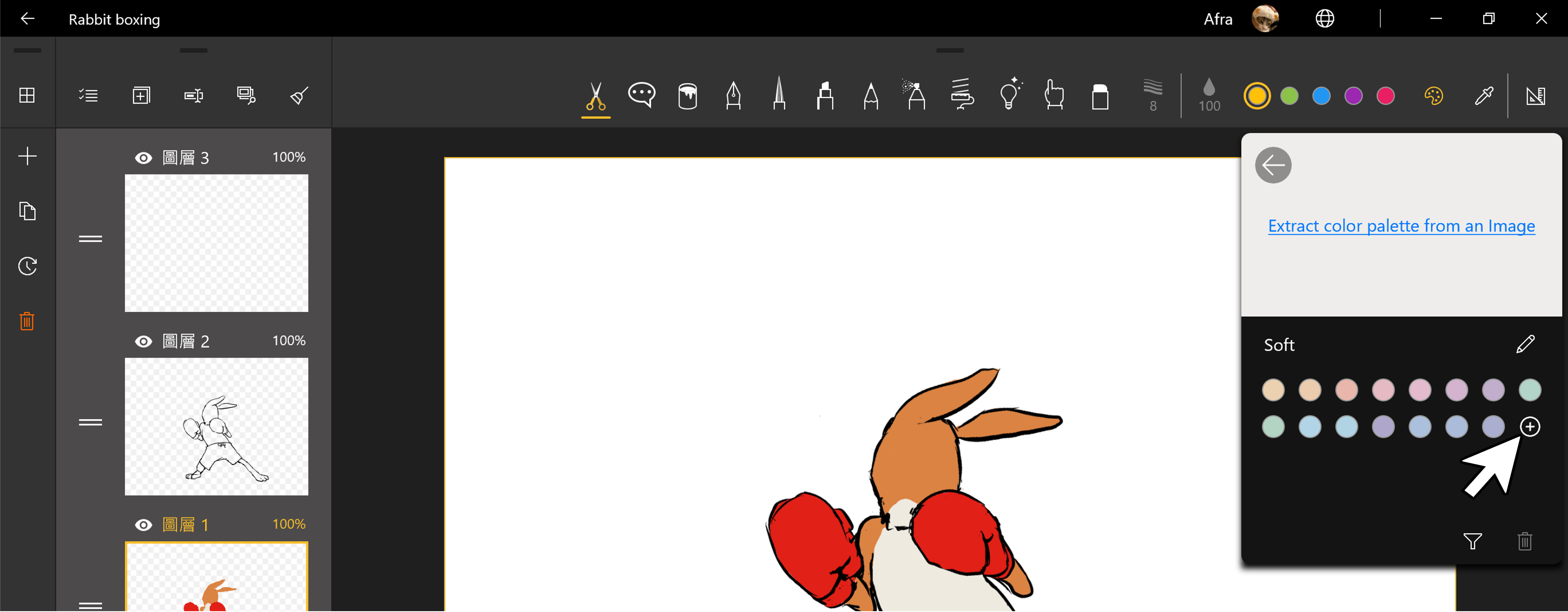
Add Color to a Color Palette: in a list of color swatches, tap "+" to add new colors to the current palette.
Extract Colors from Images
1. Tap the "Color Palette" button at the upper right corner of the canvas, and create a new palette.
2. In the popup menu, tap "Extract color palette from an Image"
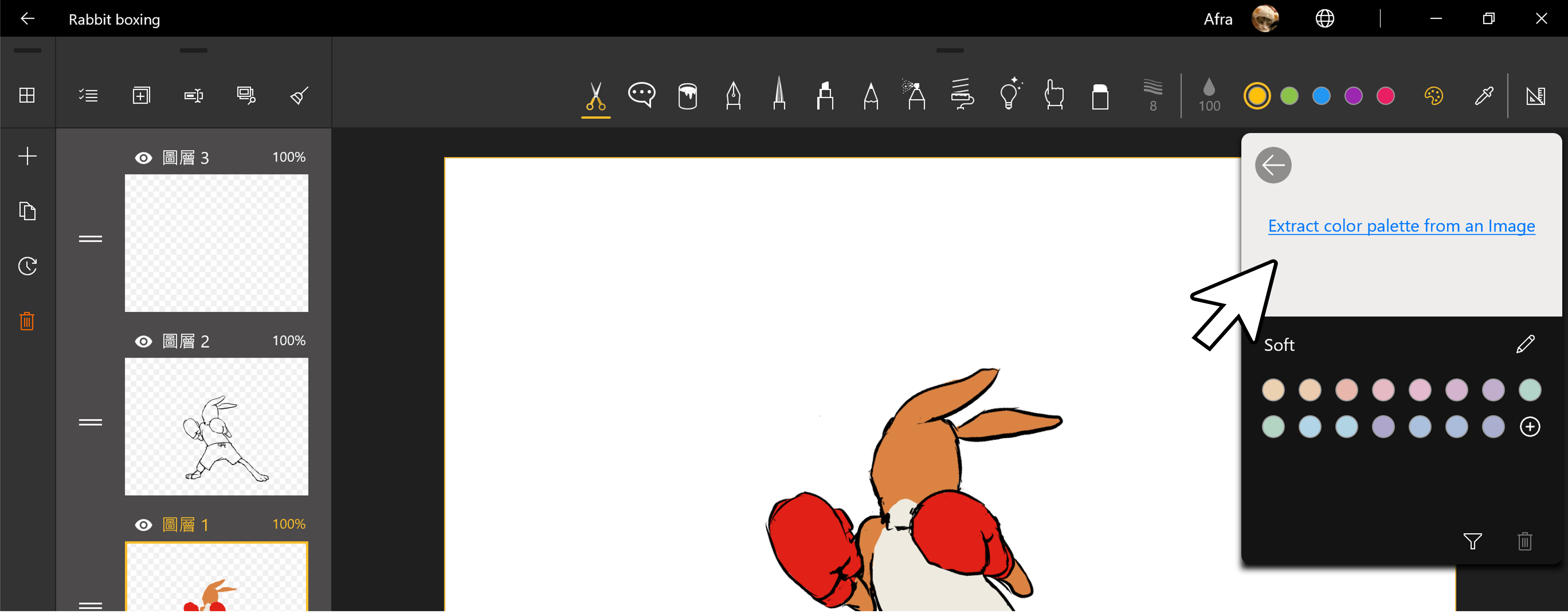
3. Import an image, and the app will start extracting the colors.
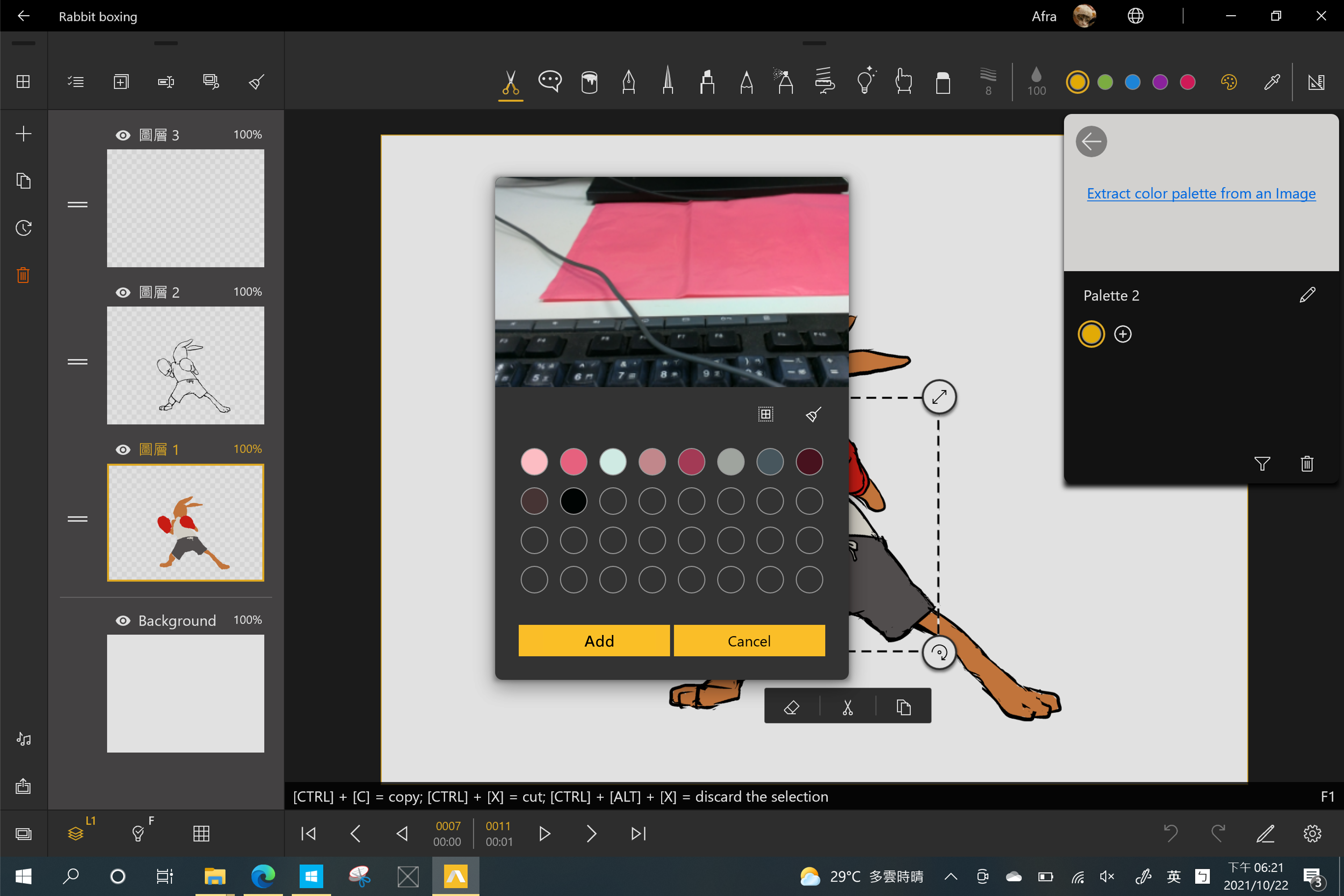
The app will extract the major colors from the image. If you wish not to save some of the colors, please select these colors, and tap the "Clear"  button to take them off the palette.
You can also tap the "Select All"  button, to select all of the colors extracted.
Updated
Comments
0 comments
Please sign in to leave a comment.