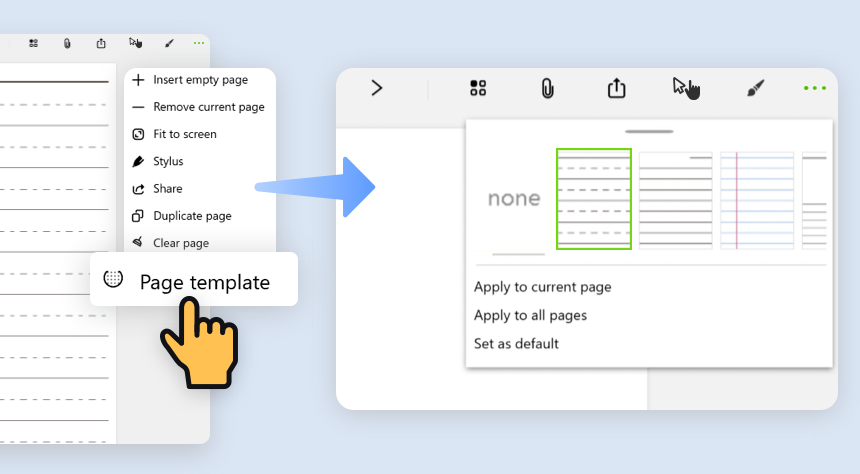
- In your note, tap on
 the upper right, and choose “Page template” from the drop-down menu.
 - Choose the template you like, and select how you want to the style to be applied.
- Apply to current: The style will be applied to only the page you are on.
- Apply to all pages: The style will be applied to all the pages in this note.
- Set as default: The style will be set when a new page in this note is created.
Updated
Comments
1 comment
It doesn't show any templates for me, they're all blank
Please sign in to leave a comment.