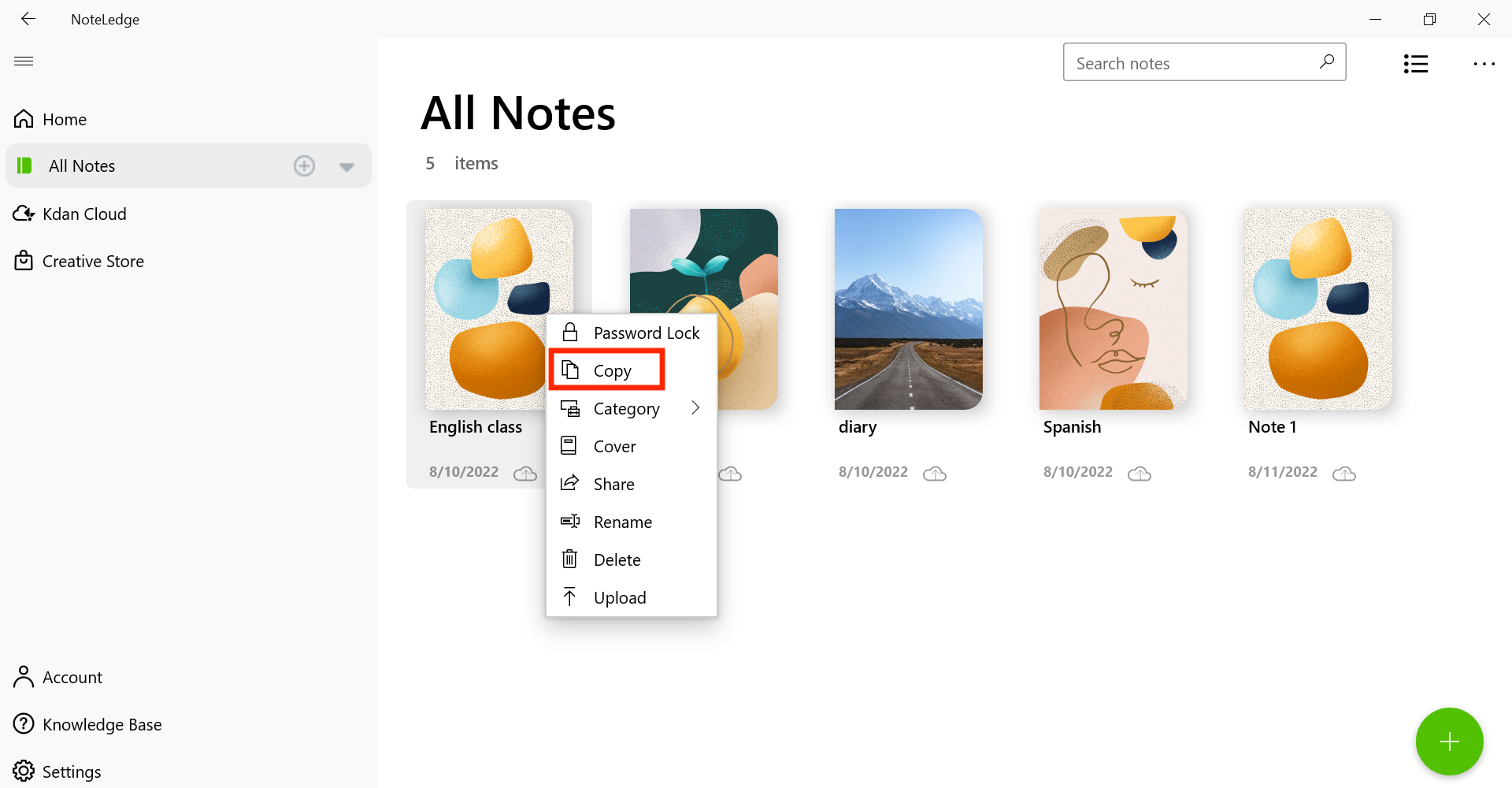
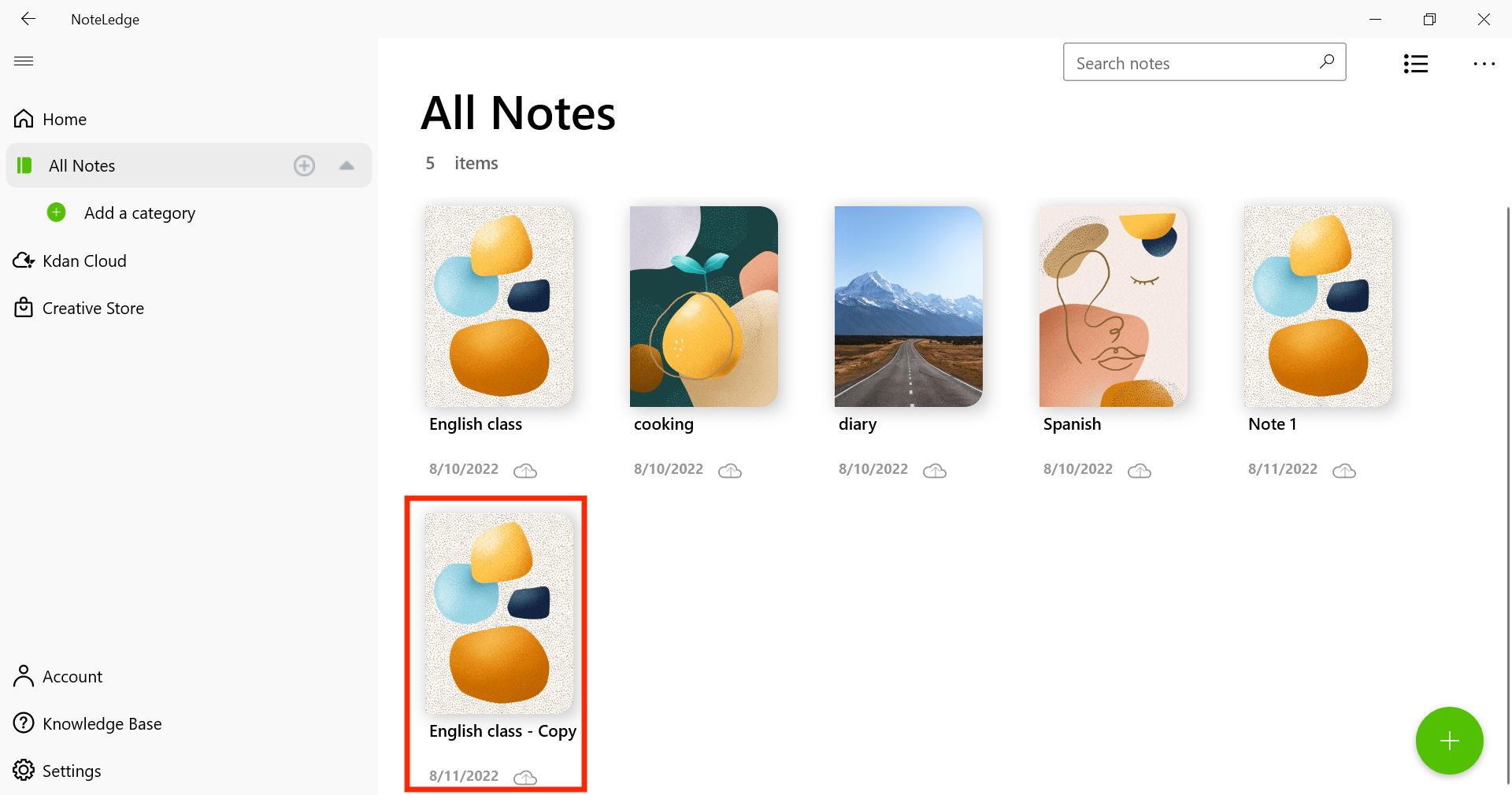
How to Duplicate a Note Go to All Notes. Right click on the note you would like to duplicate, and choose “Copy.” A copy of the note will appear, showing the name as “Copy.” Updated August 11, 2022 03:03 Was this article helpful? Yes No 1 out of 1 found this helpful Have more questions? Submit a request Comments 0 comments Please sign in to leave a comment.
Comments
0 comments
Please sign in to leave a comment.