1. Launch the PDF Reader app on your Mac
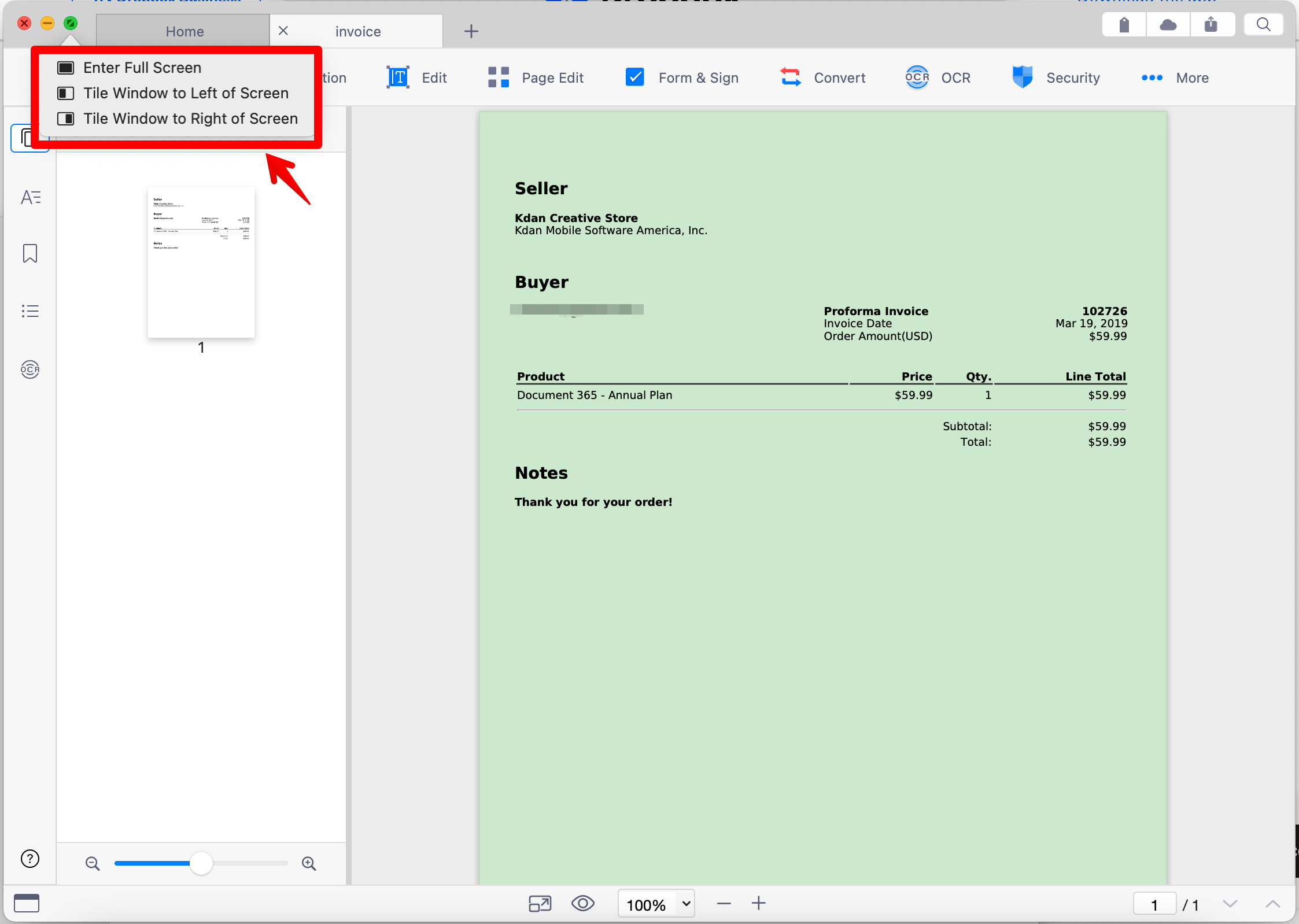
2. Place the cursor over the green button in the top-left corner of the window
3. Select Tile Window to Left of Screen or Tile Window to Right of Screen.
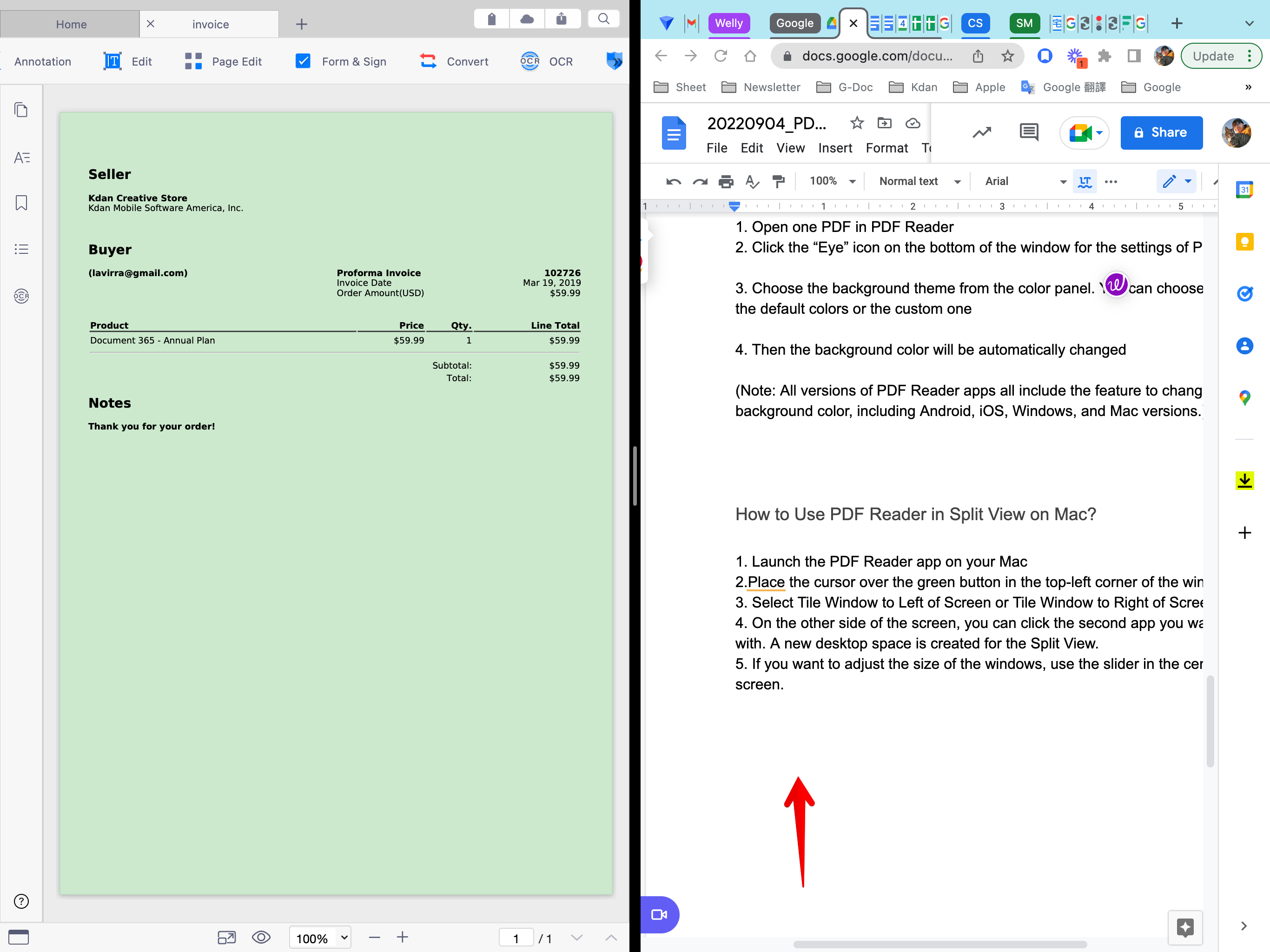
4. On the other side of the screen, you can click the second app you want to work with. A new desktop space is created for the Split View.
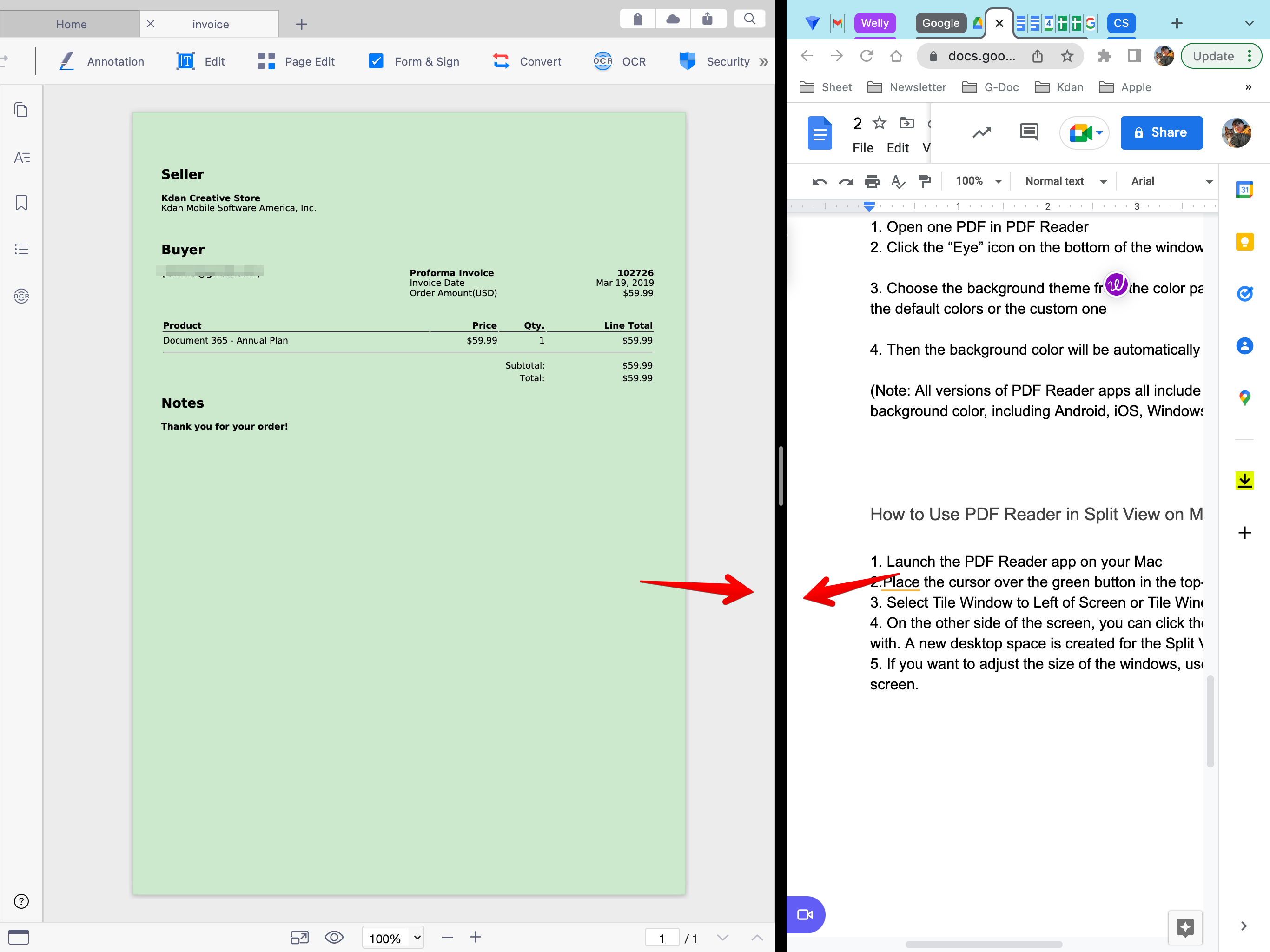
5. If you want to adjust the size of the windows, use the slider in the center of the screen.
Updated
Comments
0 comments
Please sign in to leave a comment.